TABLE OF CONTENTS

1. Overview
GRADEpro also facilitates the initial stages of guideline development. As a Panel Member, you can collaborate with the project admin to determine the list of outcomes of interest that will be used to measure the effects of the intervention in the project.
2. The process
The process consists of a few stages, including brainstorming when the outcomes are proposed and rating when the most relevant outcomes are selected.
You will provide your feedback in the surveys that will be sent to you by the project admin via email. Each email will hold a special link to the survey. You don’t need a GRADEpro account to access the survey.
2.1 Brainstorming
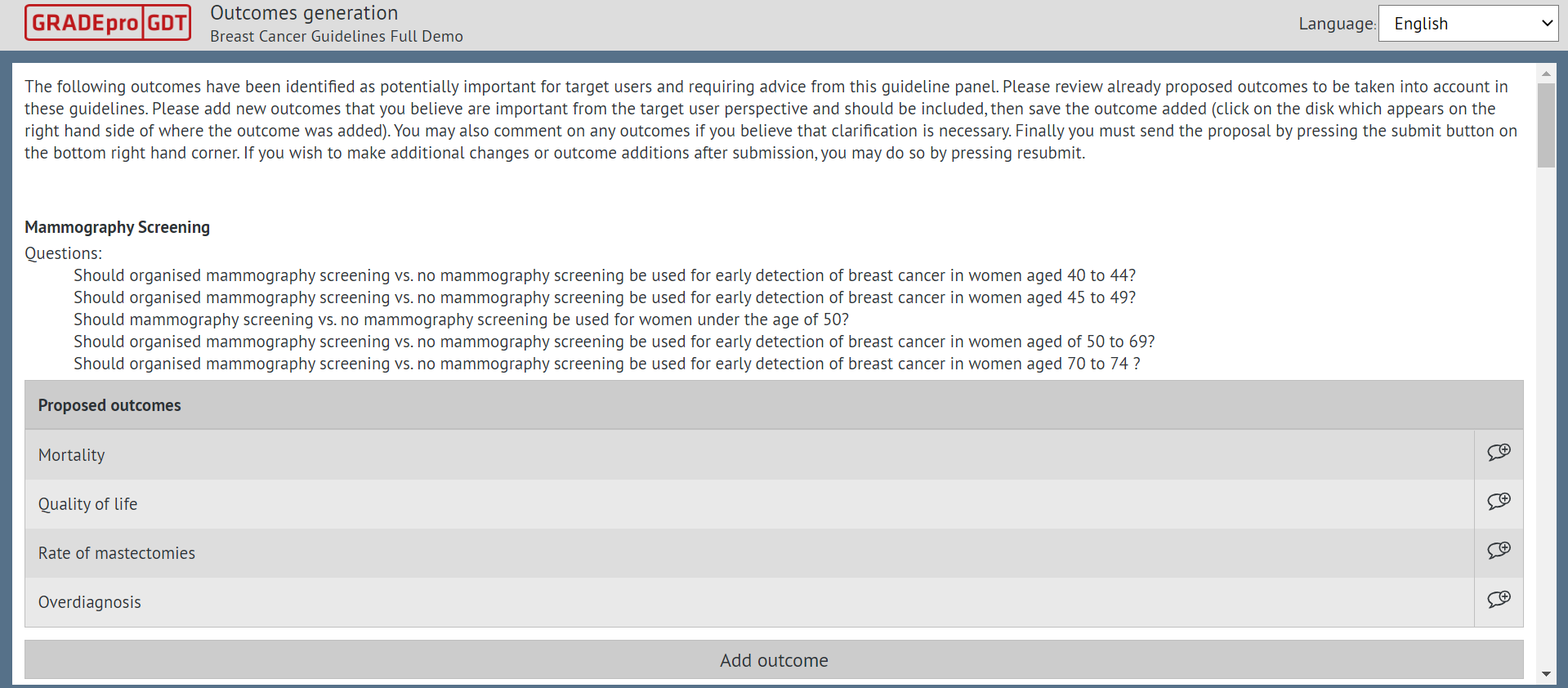
In the first stage, the brainstorming, you can provide comments on the outcomes suggested by the project admin or suggest your own outcomes. The outcomes are displayed below the PICO question or questions they've been suggested for.
You can also submit without adding new outcomes if you see no need to do so.
Remember: Please be aware that you will not see suggestions from other Panel Members, only the initial list provided by the project admin.
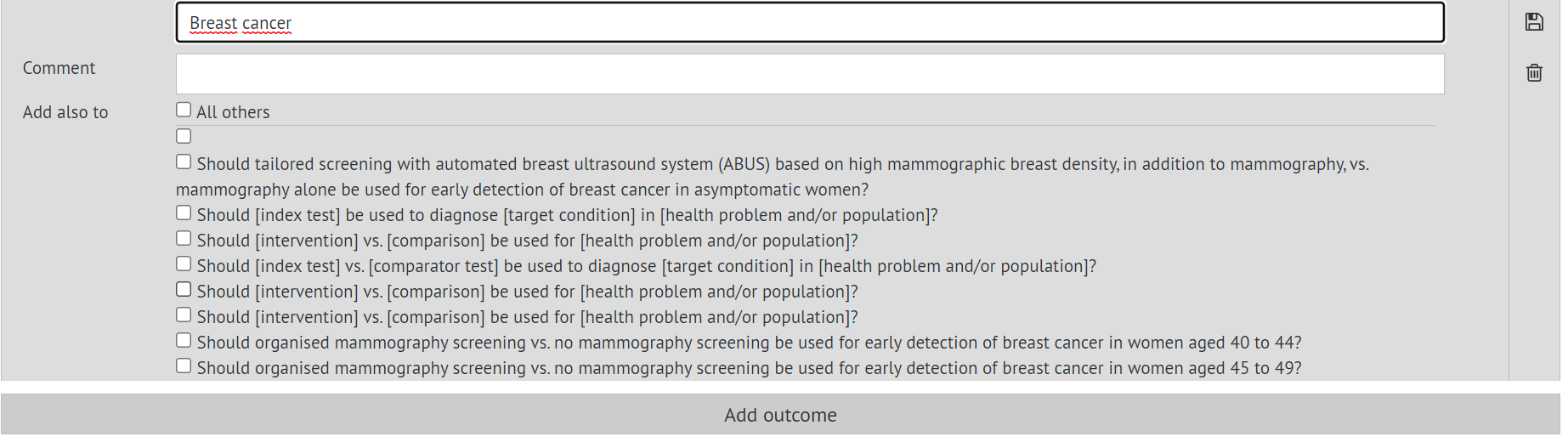
When you add an outcome, you will have the option to mark other questions it should be assigned to. Then you can simply save with the floppy disc icon.
The outcomes that you yourself add will appear as highlighted
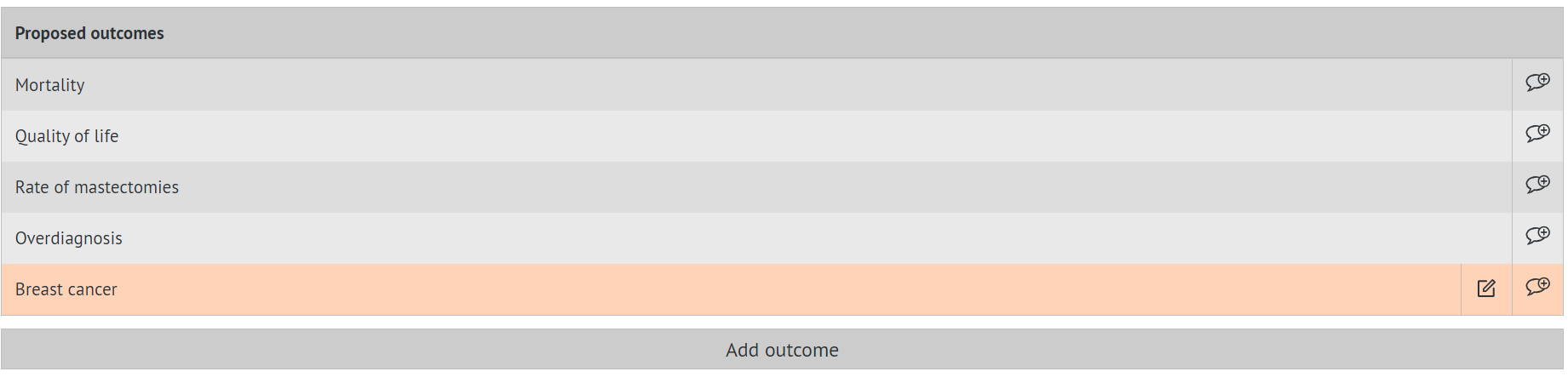
After the form is submitted, it can be edited and resubmitted until the form is closed by the project admin.

2.2 Rating
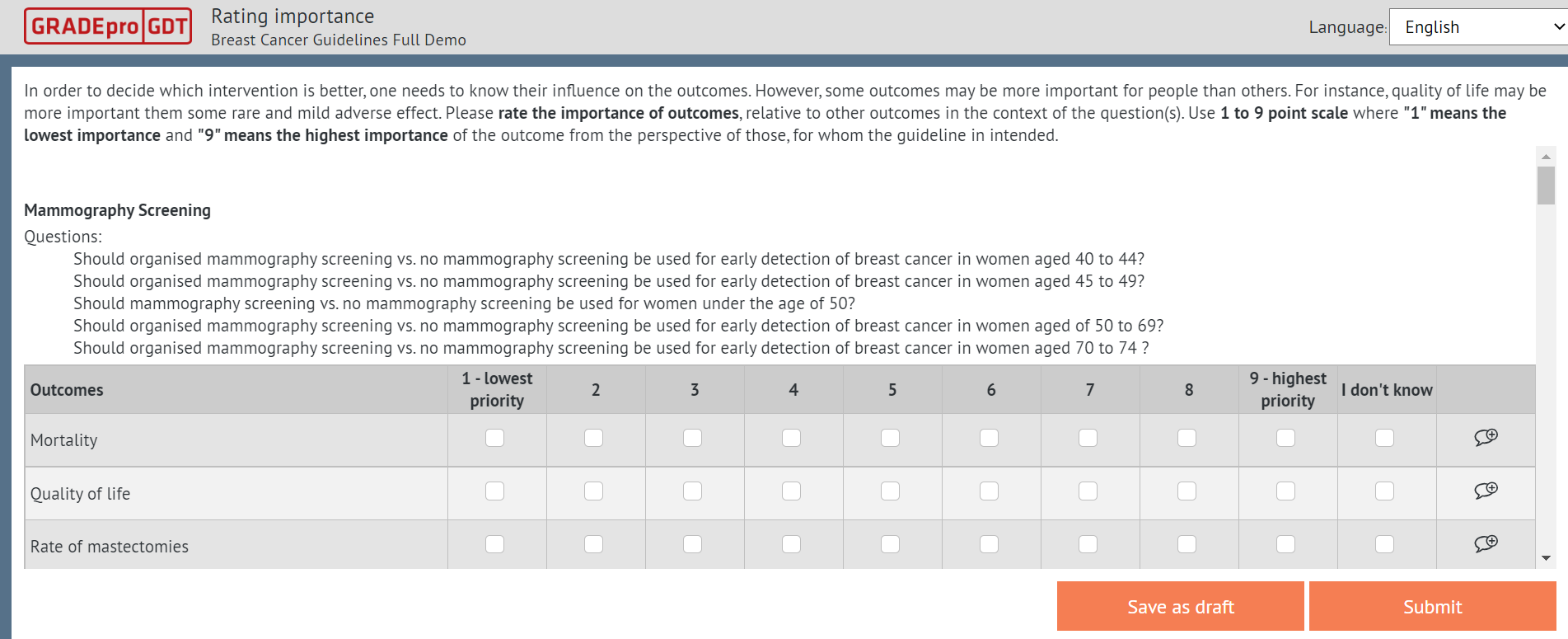
You will be asked to assign priority to each outcome. More than one outcome can have the same priority. The outcomes are prioritised in order to determine which will be included. It is necessary, as the brainstorming stage often introduces more outcomes than can be addressed within one review.
Similar to the brainstorming stage, you can also add comments to the outcomes; however, you are no longer able to add new outcomes.
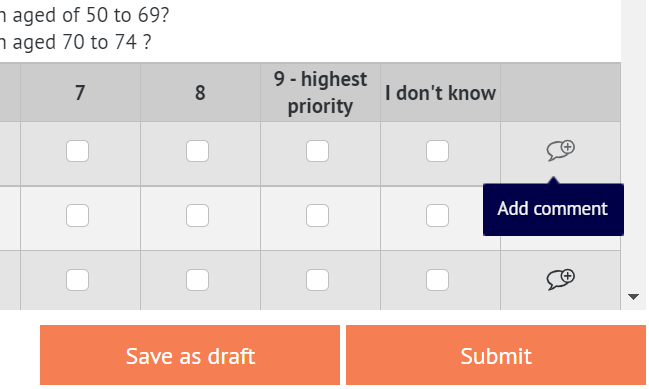
At any point, you can save the form as a draft. Once you have filled in the answers, you can submit the form. As before, you can edit and resubmit the form until the project admin closes the rating stage.
2.3 Approval
The last stage is approval. You will receive another survey, in which the outcomes from the previous stages will be divided into three groups according to the actions suggested by the project admin.
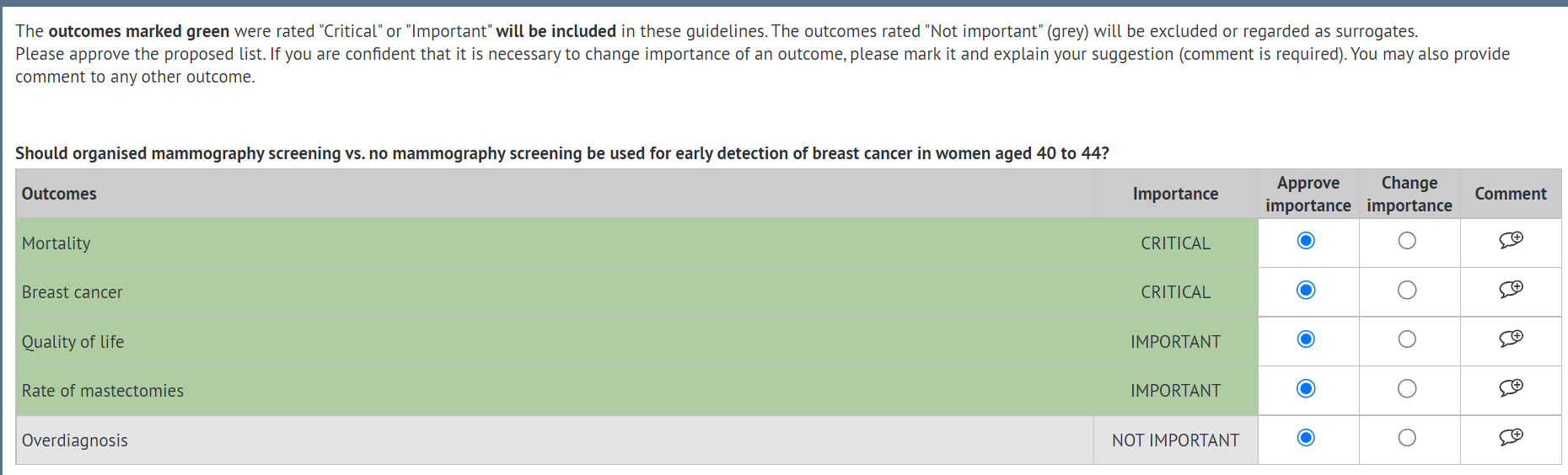
The outcomes can be rated as follows:
- Critical- such outcomes will be included in the project with the rating of critical
- Important- such outcomes will be included in the project with the rating of important
- Not important - such outcomes will be excluded from the project
You can either approve the action suggested by the project admin or suggest a change of importance.
When you decide to change the importance, the comment field becomes highlighted - it is there where you should put your suggested decision and the reason for the change. You cannot submit the form without justifying the changes (if you suggested any).
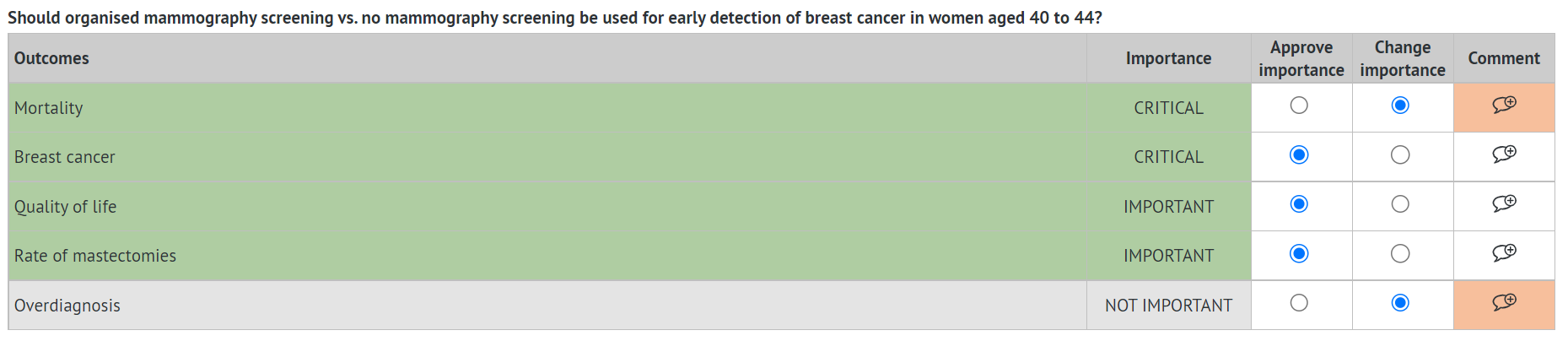
As with the previous forms, you can save it as a draft at any point. Once you provide your feedback, you can submit the form.
You can also edit and resubmit the form unless the project admin closes the voting.
Approval is the final stage of Outcomes generation. No further actions will be required from you at this stage.
RELATED ARTICLES
Was this article helpful?
That’s Great!
Thank you for your feedback
Sorry! We couldn't be helpful
Thank you for your feedback
Feedback sent
We appreciate your effort and will try to fix the article