TABLE OF CONTENTS

1. Where you can add explanations and references in the evidence tables
It may happen that when you try to add a reference to an evidence (SoF) table, either by using the right mouse button or by the option in the top right corner of the website, the options will be inactive.
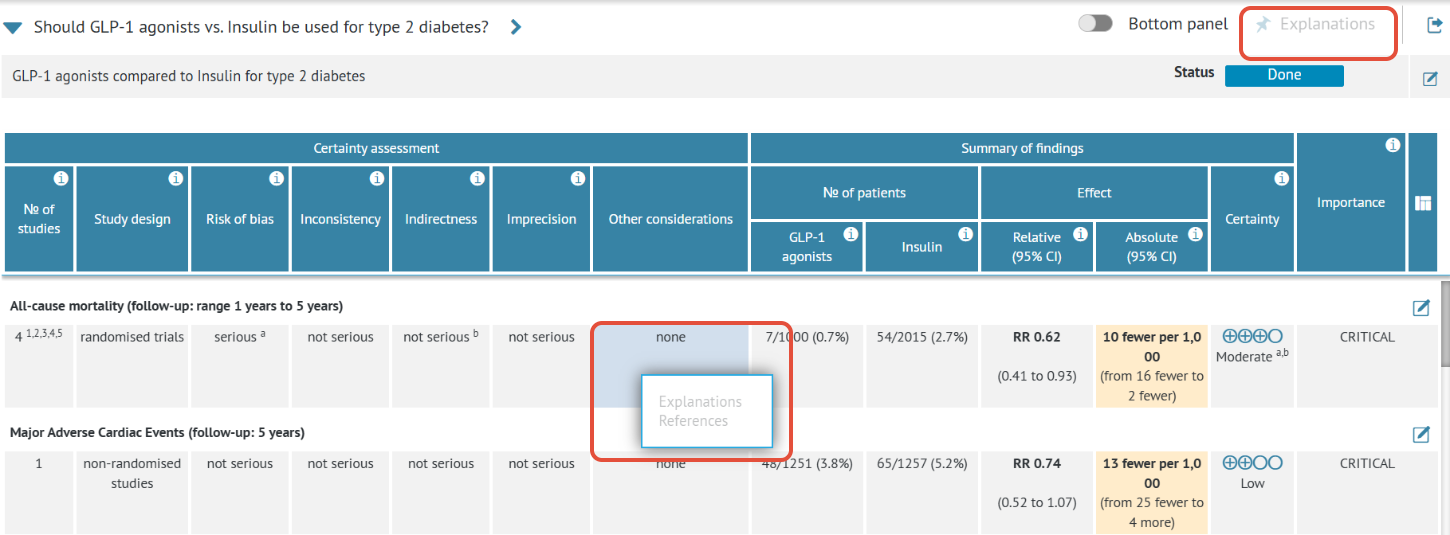
This happens when a table cell contains multiple text fields or dropdowns inside.
While the explanations and references can be added to any cell, they are in fact attached to text fields and dropdowns within the cells.
If a cell holds only one text field or a dropdown, you can add references by clicking the cell itself. An example of such a cell can be the risk of bias cell.
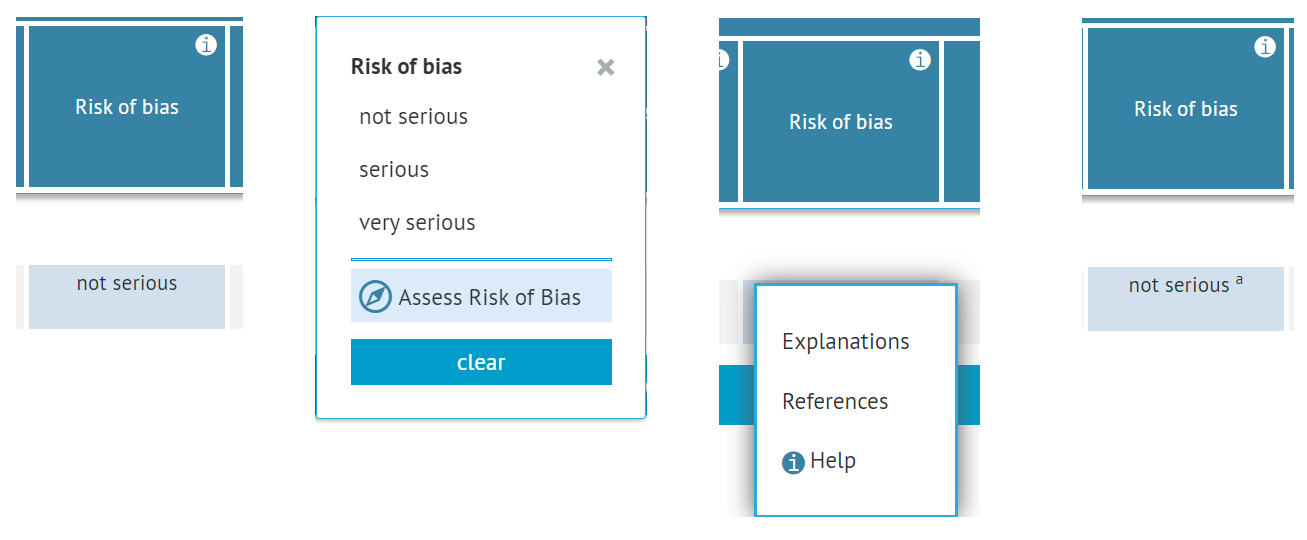
However, if a cell holds more than one text field or a dropdown, you cannot add references by clicking on the cell itself - this option will be inactive. Instead, you need to open the cell and add references/explanations to the particular text field/dropdown itself. An example of such a cell can be the study design cell.
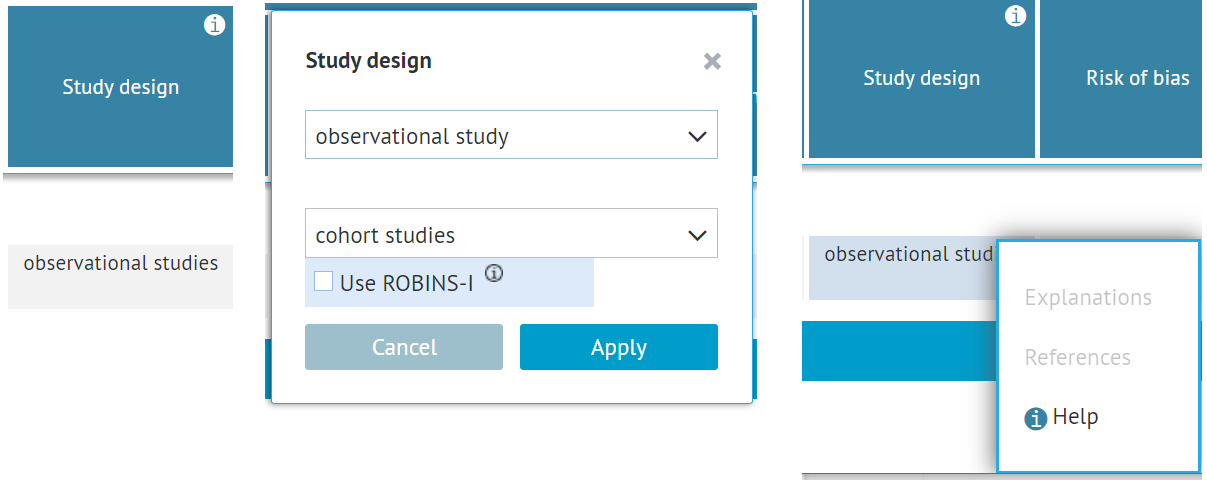
Since it holds multiple dropdowns and options (study design, subtypes of observational studies and the ROBINS-I option), it is impossible to add explanations or references to the whole cell (the option is inactive).
You need to open the cell and add an explanation/reference to a particular option, e.g. the study design.
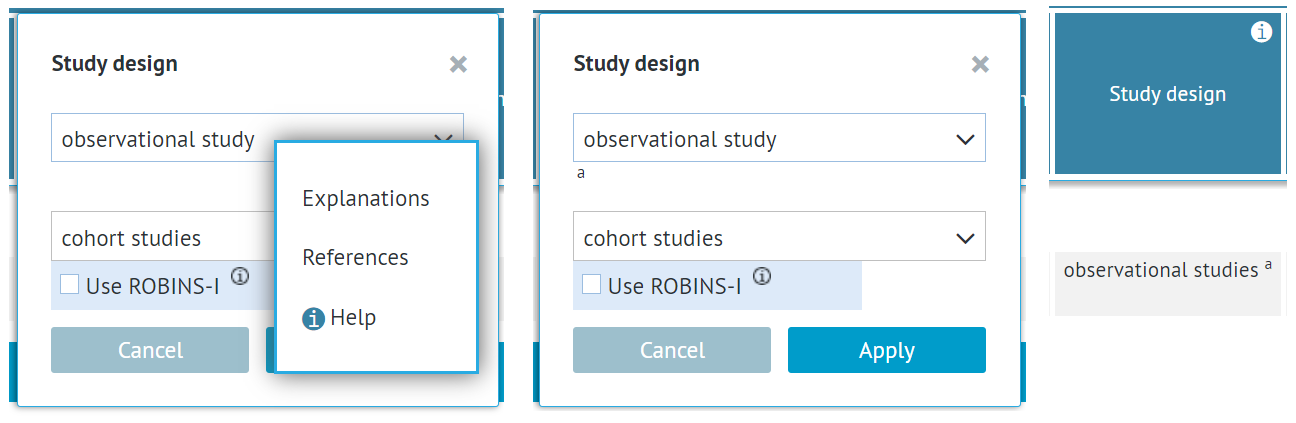
Cells that need to be open to add references and explanations are:
- Study design
- Other considerations
- Intervention and comparison (№ of patients)
- Relative Effect
- Absolute Effect
You can learn more about adding references to the evidence tables in a separate article.
RELATED ARTICLES
Was this article helpful?
That’s Great!
Thank you for your feedback
Sorry! We couldn't be helpful
Thank you for your feedback
Feedback sent
We appreciate your effort and will try to fix the article