TABLE OF CONTENTS
- 1. You haven’t been invited to the project yet
- 2. You are in a wrong workspace
- 3. You are in a wrong account
- 4. You are on a wrong server
- 5. Your access was revoked

When you log in to your GRADEpro account you don’t see the project you’re looking for on your project list.
1. You haven’t been invited to the project yet
If you expect to see a project you were supposed to be added to and cannot find it, it could be because the project's owner hasn't invited you yet. Please make sure they add you to their project team. Then you will see an invitation on top of your screen that you will be able to accept. Then the project will be added to your list.
2. You are in a wrong workspace
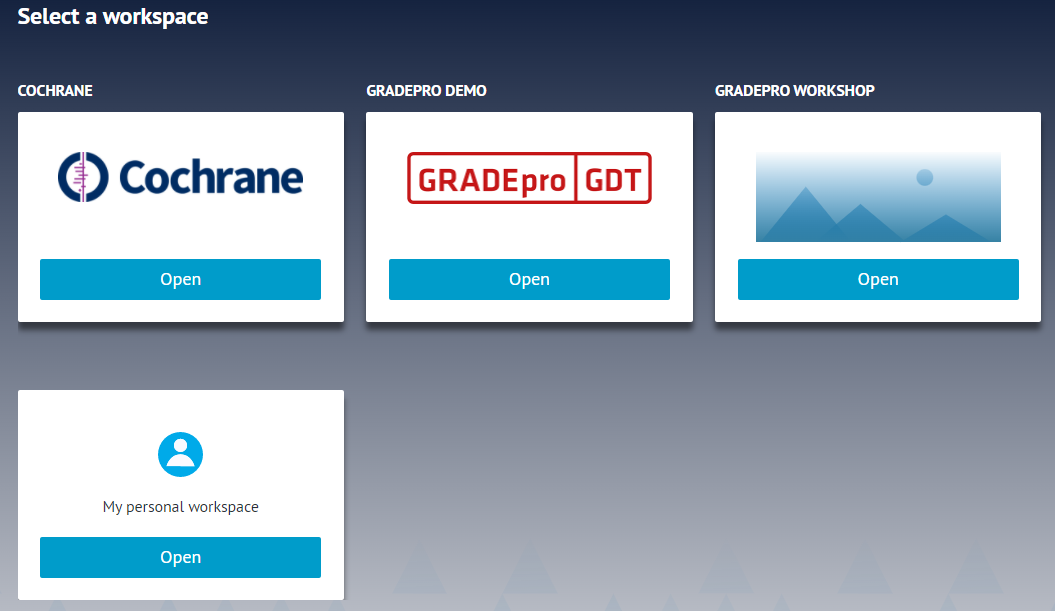
GRADEpro accounts are organised in workspaces. Each workspace is a separate compartment with its own list of projects. Every account has a personal workspace intended for free use. There are also other workspaces, such as the Cochrane workspace, intended for the RevMan Web integration or organisational workspaces for the owners of Team and Enterprise subscriptions.
If you don’t see the project you are looking for, it may be in another workspace.
To enter a different workspace, you should either:
- choose that workspace panel when you log in
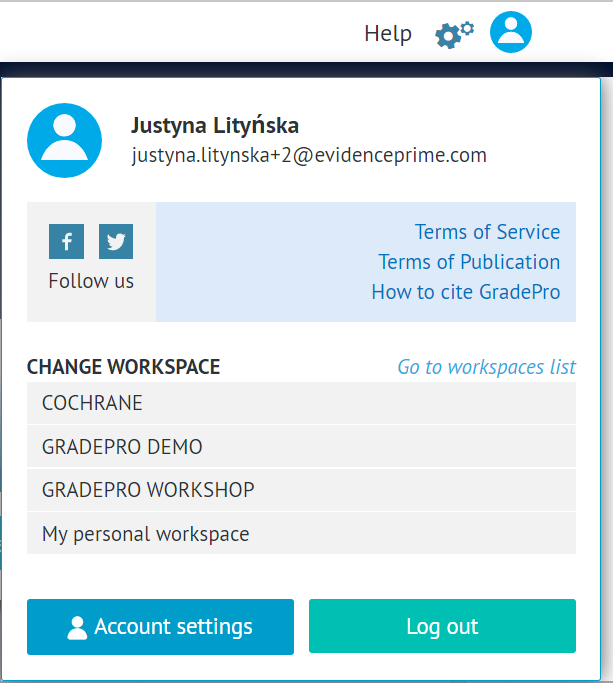
- open the user menu in the top right corner and select the workspace from the list
3. You are in a wrong account
Some users have multiple accounts in GRADEpro with multiple email addresses. If a project is available for only one of these accounts, the others will not have access to it unless you invite your other accounts to the project.
If you know you have more than one account, you may check others for the project you are looking for.
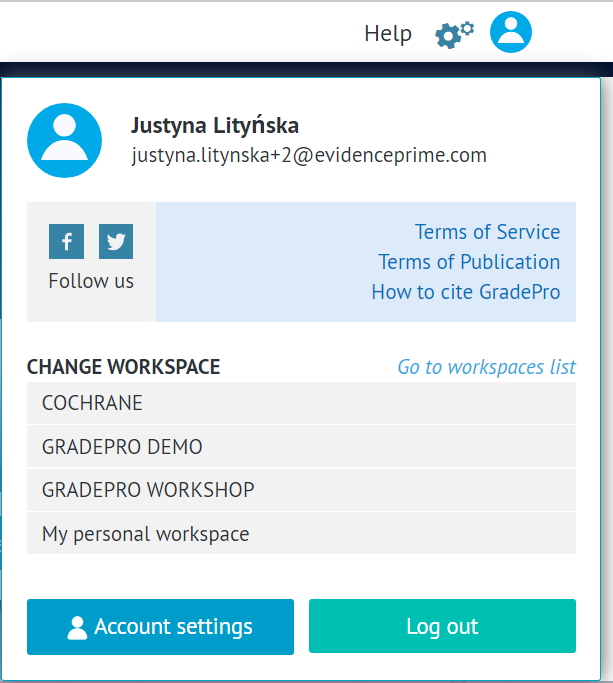
To ensure which account you are logged in with, you can open the user menu in the top right corner and see the email address that the account was created with.
4. You are on a wrong server
The main GRADEpro server is https://gdt.gradepro.org/app/
However, some organisations that purchased the Enterprise subscription have their own servers with different web addresses. If you are a member of such an organisation and you cannot locate your project on the main GRADEpro server, you may need to look for it on your organisation server (and the other way round - the project you are looking for on public GRADEpro may be saved on the dedicated Enterprise server).
5. Your access was revoked
If the project had other Admin members than yourself, you might have been removed from the project. You can check with your other team members if you are still on the project members list. Also, whenever you log in, if your access was revoked in the meantime, you should receive a notification about it.
If none of the explanations above apply to you, contact us at support@evidenceprime.com, and we will help you locate your missing project.
RELATED ARTICLES
Was this article helpful?
That’s Great!
Thank you for your feedback
Sorry! We couldn't be helpful
Thank you for your feedback
Feedback sent
We appreciate your effort and will try to fix the article