TABLE OF CONTENTS
- 1. You are looking in your mailbox
- 2. You did not enter the workspace
- 3. The invitation was not sent properly

When you know you have been invited to a project already, but you still cannot see the invitation, it could mean:
1. You are looking in your mailbox
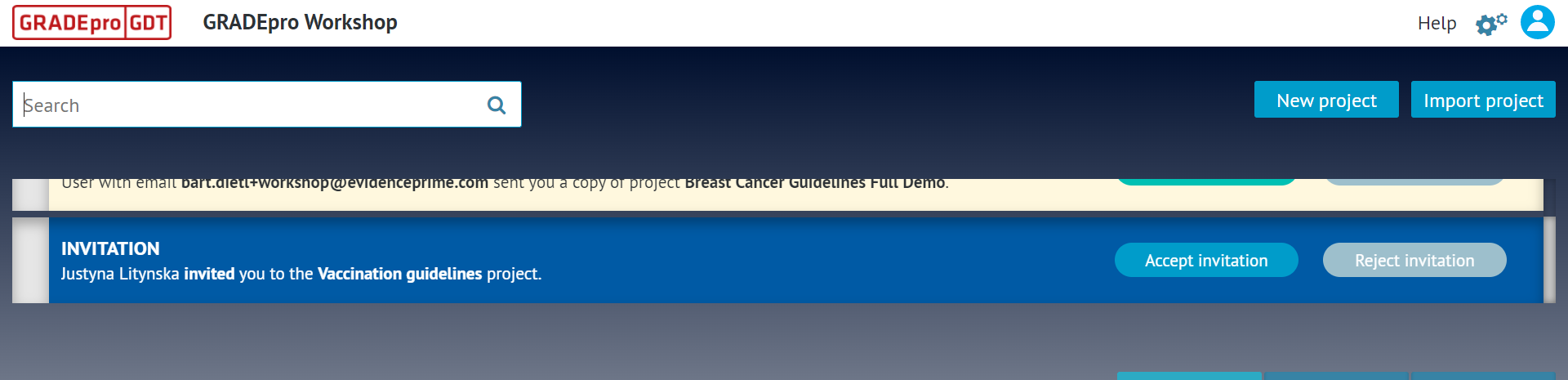
Please be advised that the GRADEpro project invitations do not arrive via email. To see the invitation, you need to log in to your GRADEpro account and enter a workspace. There, you will see the invitation as a notification on top of your screen.
2. You did not enter the workspace
The notification shown above appears in the project list view when you enter a workspace. If you simply log in and stay in the workspaces list view, you cannot see the invitations:
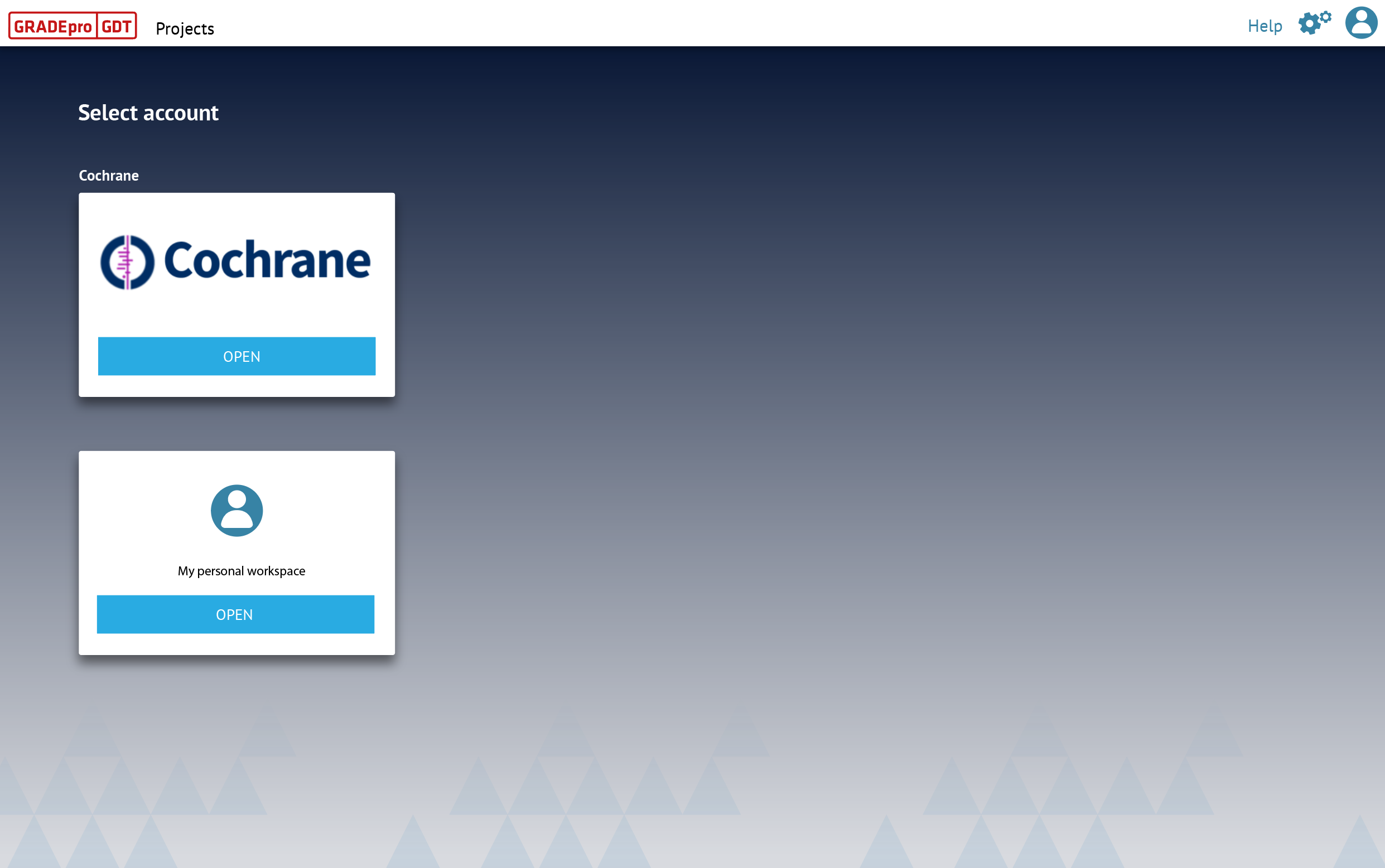
Once you enter a workspace, you will see the invitations. This is so because a project needs to be added to a particular workspace, which is why you need to enter it first.
3. The invitation was not sent properly
Check with your project manager whether they see next to you on the project team list the Pending invitation label. If not, they can refer to the instructions on how to add members to a project or the most common project invitation issues.

RELATED ARTICLES
Was this article helpful?
That’s Great!
Thank you for your feedback
Sorry! We couldn't be helpful
Thank you for your feedback
Feedback sent
We appreciate your effort and will try to fix the article