TABLE OF CONTENTS
- 1. Introduction
- 2. Organisation workspace
- 3. Creating new projects in organisation workspace
- 5. Adding members to projects in an organisation workspace
- 6. Additional features
- 7. Data Security

1. Introduction
If you purchased a Team or Enterprise subscription, you will use GRADEpro more fully than before. Some aspects, such as creating accessing projects, inviting new project members, and features available for you will change. This article describes all those changes in details.
2. Organisation workspace
Organisations or organisation workspaces are a structure in GRADEpro that allows users to collaborate more effectively, benefit from additional GRADEpro functionalities (purchased by their organisation), and keep the data secure within their selected group of members.
You can think of an organisation as a separate, closed, and controlled work environment within GRADEpro. The organisation workspace can be accessed in two ways:
- when you log in, you can select the workspace among the panels you see - the organisation workspace is usually named after the organisation/team/project that it was purchased by; whenever possible, a logo is added
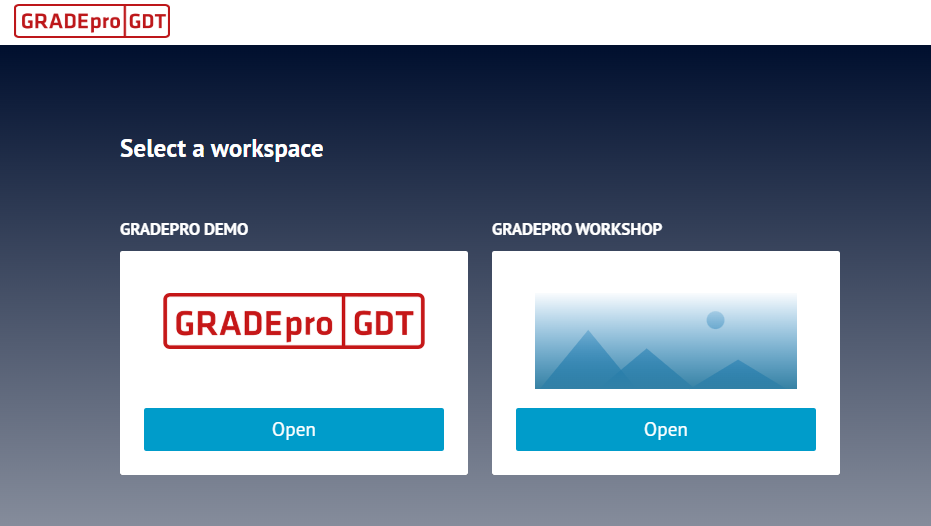
Note: When you log in for the first time after being added to a workspace, you may not see it on the list. If this happens, please refresh the website. If that doesn't help, please contact your project manager or the GRADEpro Support Team at support@gradepro.org
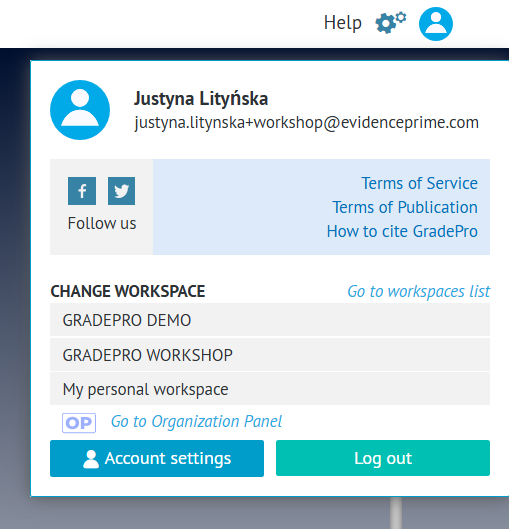
- you can also at any point select the workspace from the workspaces list available through the user menu in the top right corner of the website
2.1 Enterprise dedicated instances
An Enterprise level subscription often comes with a dedicated GRADEpro instance. It has its own web address and is customised according to your needs. While it offers more perks than a regular organisation workspace, the rules of operation are quite similar.
3. Creating new projects in organisation workspace
While the free GRADEpro subscription has no project limits, the paid subscriptions usually limit the number of active projects (the precise limit depends on agreement, however, for Team subscriptions it is usually a single project).
For this reason, creating new projects in organisation workspaces is usually restricted to the GRADEpro Support Team. If you want to have a new project created in a paid subscription organisation workspace, please contact us at support@gradepro.org
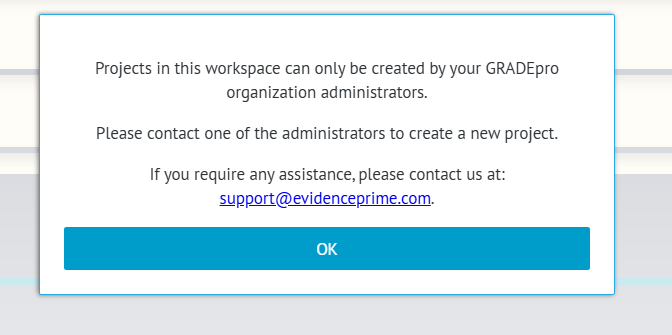
If you try to create a project yourself, you will see the following message:
5. Adding members to projects in an organisation workspace
For security reasons, only organisation or organisation workspace members can be invited to projects as Admins or Researchers.
To see the list of workspace member available for your project, please go to the 'Team' tab of your project:
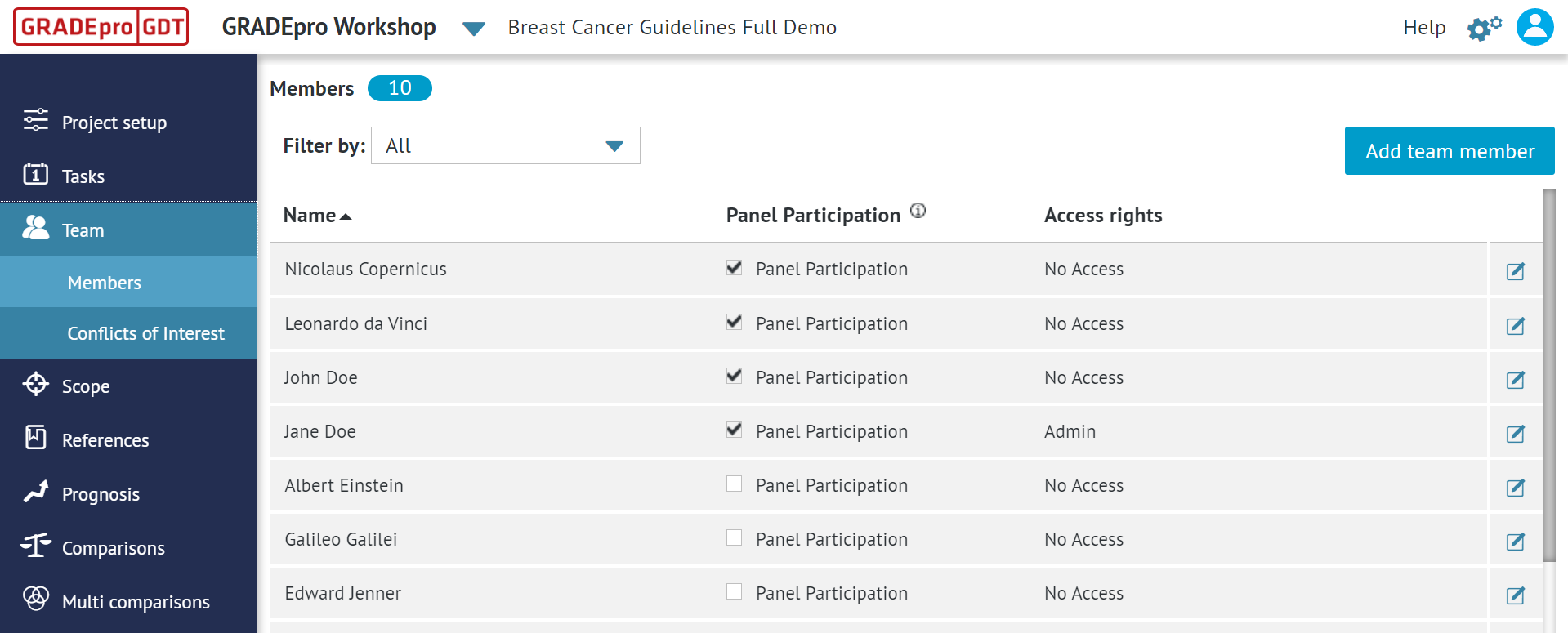
Once you click the “Add team member” button, you will see a list of all the members of your organisation workspace who aren’t yet assigned to your project.
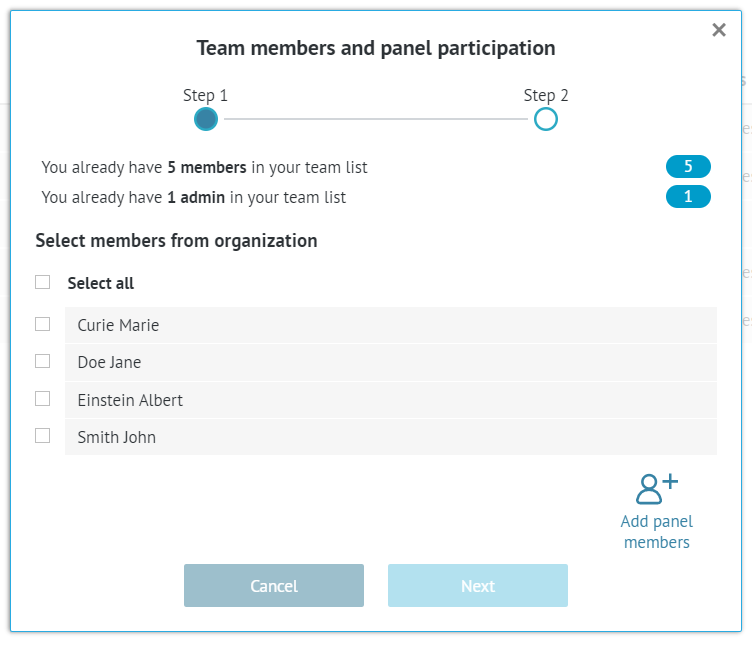
Restriction: If the people you want to add are not on the list, it means either they're already members of the project, or they haven't yet been added to the organisation workspace. In the latter case, please contact Support Team at support@gradepro.org for those people to be added.
If you want to add people as just Panel Members who won't need direct project access, you can do it even if they don't have a GRADEpro account and they aren't members of the workspace.
6. Additional features
In the organisation workspace, additional features can also be enabled, depending on the type of subscription you chose. You can read more about the most commonly used paid features here.
7. Data Security
Organisations or organisation workspaces give an extra layer of control over the data. The organisation admin keeps track of users who are able to access data in the guideline project (only organisation members can be invited to the organisation project).
Additionally, project copies can be sent outside of the organisation only by the organization admin. Those limitations provide an additional level of data security for groups that want to make sure only a defined group of users has access to the data before publication.
RELATED ARTICLES
Was this article helpful?
That’s Great!
Thank you for your feedback
Sorry! We couldn't be helpful
Thank you for your feedback
Feedback sent
We appreciate your effort and will try to fix the article