If you are using only the Free subscription, you can find instructions for adding team members here.
In case of paid subscriptions, additional rules apply, which are described in detail below.
For paid subscriptions, people that you want to add to your project as Admins or Researchers must have GRADEpro accounts and be a part of your organisation workspace. If you have the Enterprise subscription, new members can be added to your organisation workspace by the organisation admin. If you have the Team subscription, you will need to contact support@evidenceprime.com
To add a member to your team, first, you must go to the Team tab of your project.
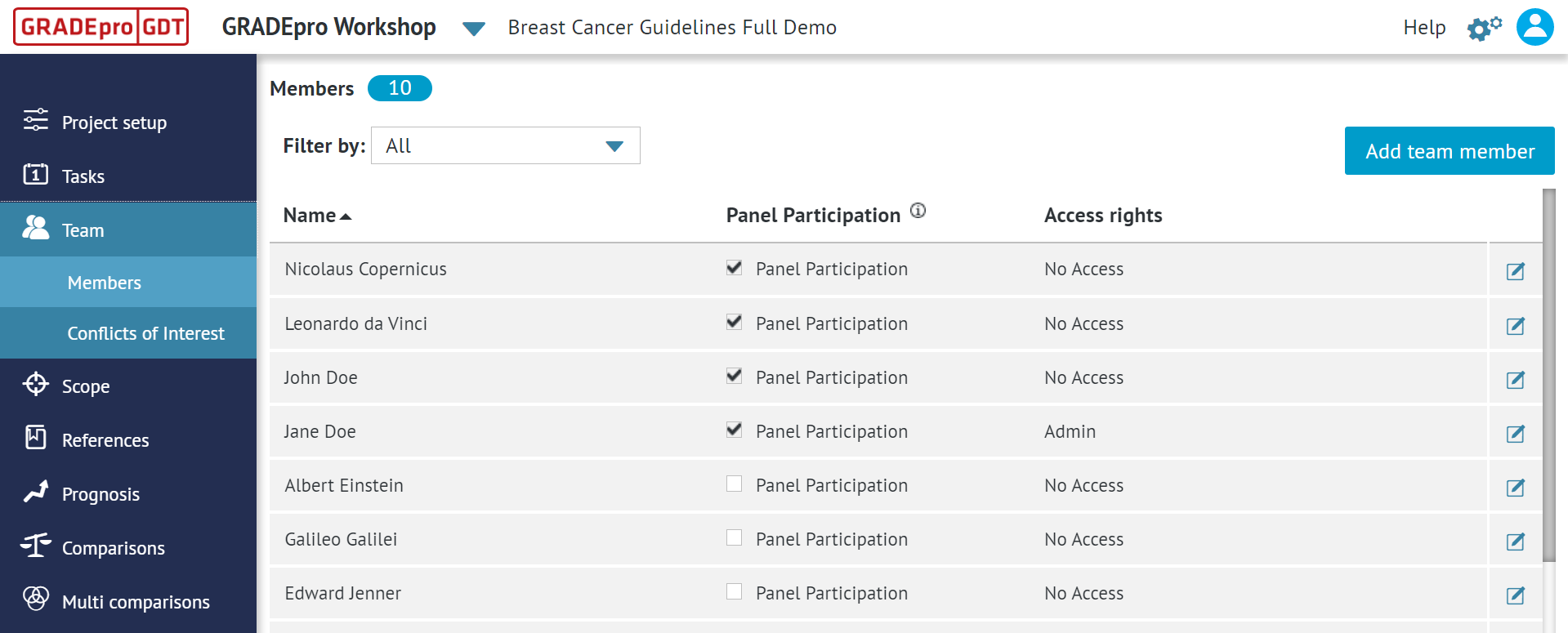
Once you click the “Add team member” button, you will see a list of all the members of your organisation workspace who aren’t yet assigned to this project.
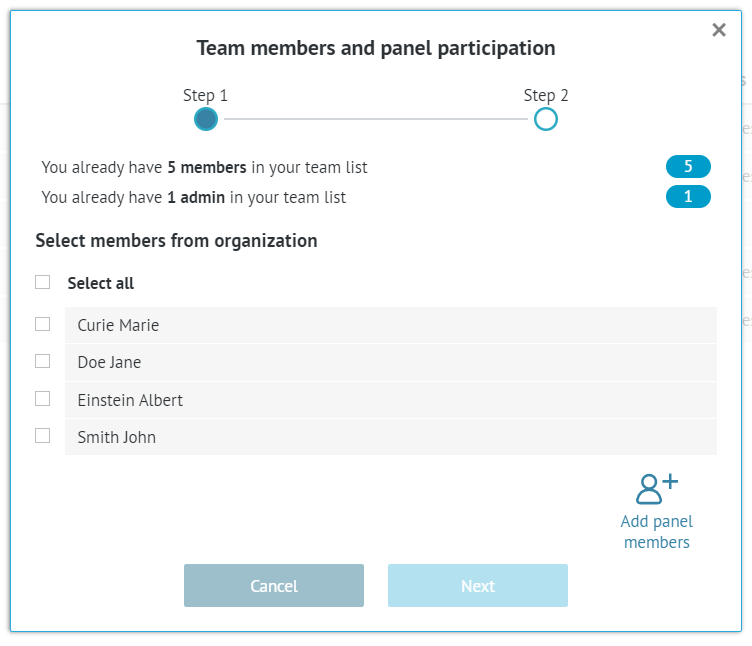
Tips: If the person you want to add is not on the list, it means either that they're already a member of the project or that they haven't been added to the workspace yet. In the latter case, please contact your workspace administrator or the GRADEpro Support Team at support@gradepro.org. If you try to add to a project a person from outside the workspace, the invitation will not arrive and the access rights will keep on changing to "No access".You can choose those you want to add simply by ticking them. Then you can move to the next step.
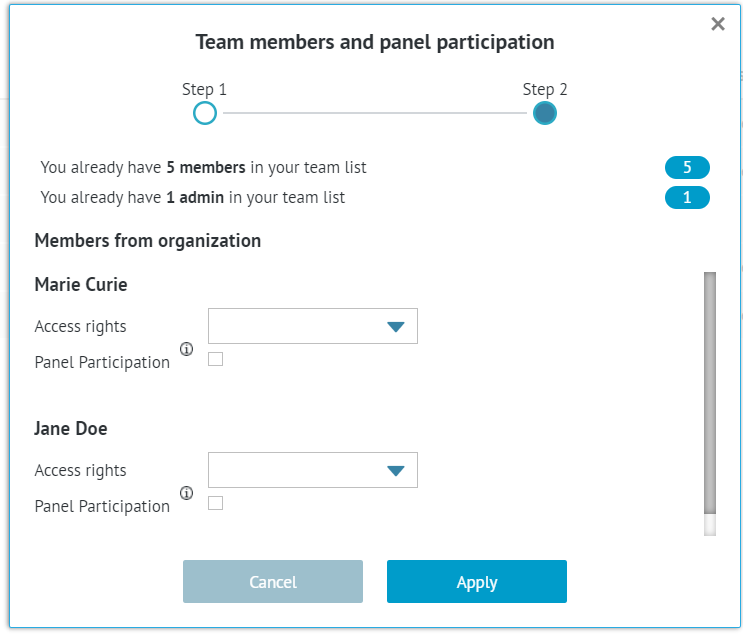
Now you have to choose the access rights of that member and whether they will participate in PanelVoice. Then it’s enough to apply.
You will see the updated Team members list.
If you choose the Admin or Researcher rights, next to that person, there will be a note “pending invitation”.
Tips: This invitation will not arrive via email. Instead it will be seen as a notification on the main GRADEpro screen of that user.RELATED ARTICLES
Was this article helpful?
That’s Great!
Thank you for your feedback
Sorry! We couldn't be helpful
Thank you for your feedback
Feedback sent
We appreciate your effort and will try to fix the article