TABLE OF CONTENTS
- 1. Questions about GRADE methodology
- 2. General GRADEpro questions
- 3. Errors in the system and specific GRADEpro questions

GRADEpro Support Team does its best to assist all its users. There are a few ways to request support, depending on the nature of your issue.
1. Questions about GRADE methodology
If you are new to GRADE, you can find some helpful information in the Handbook.
Handbook is currently being updated. The new version is GRADEbook and we encourage you to check it out.You can access the legacy Handbook using the “Help” button in the top right corner of the website:
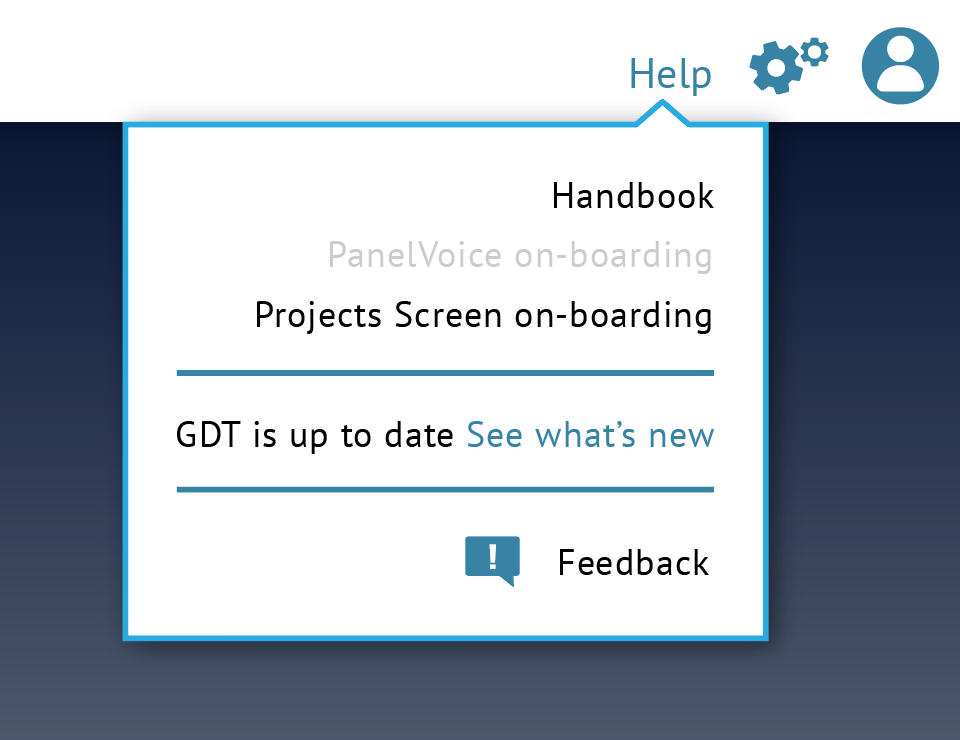
There you will find information about using GRADE for your evidence. Some of it can also be found in various articles in GRADEpro Knowledgebase.
Another source of knowledge are GRADE Guidelines, written by the GRADE Working Group.
If neither Handbook nor Knowledgebase holds the answer to your question, then you should refer to a GRADE specialist.
Tips: In GRADEpro we provide support regarding technical aspects of our software. To be advised on the scientific domain questions regarding GRADE framework, please contact the GRADE Working Group at mail@gradeworkinggroup.org2. General GRADEpro questions
If you have a question about the general operation of GRADEpro and you can start by reviewing the Knowledgebase (a good starting point is the article which lists all of GRADEpros elements and features and whete the can be found as well as the Frequently Asked Questions section). You can also find the answer among webinars. If you still cannot find what you're looking for, you can contact our Support Team directly through support@gradepro.org
3. Errors in the system and specific GRADEpro questions
Suppose you have a specific question regarding a GRADEpro feature or encounter an issue while using GRADEpro, especially if an error message is displayed on your screen. In that case, you can use the "Feedback" option within the system. It is available at the "Help" button in the top right corner of the website:
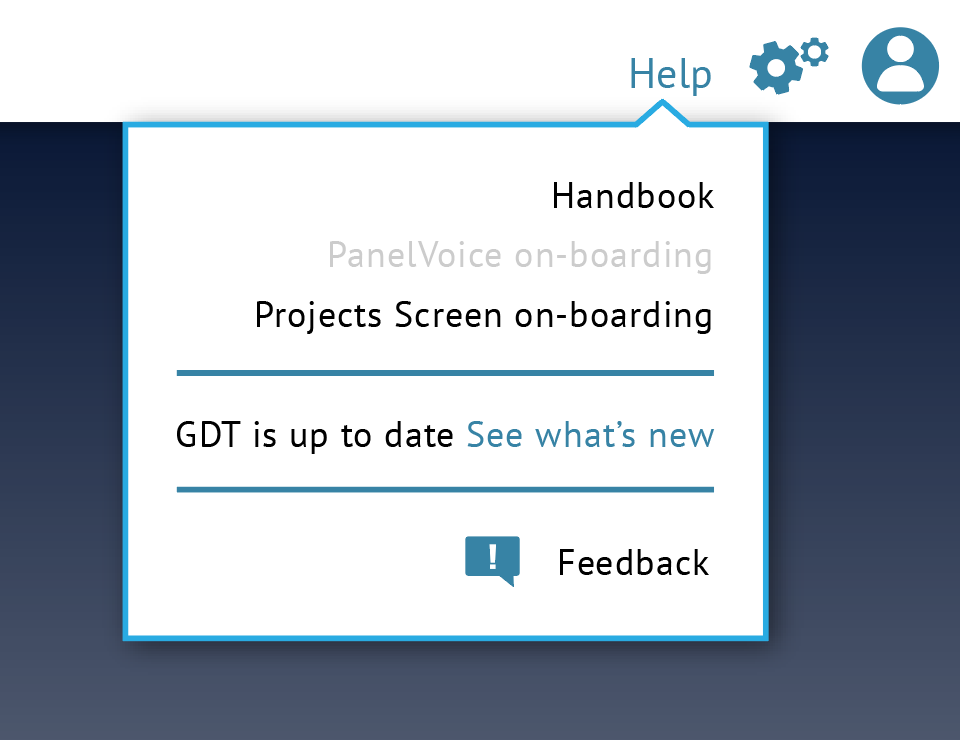 Once you click on it, a new window will appear:
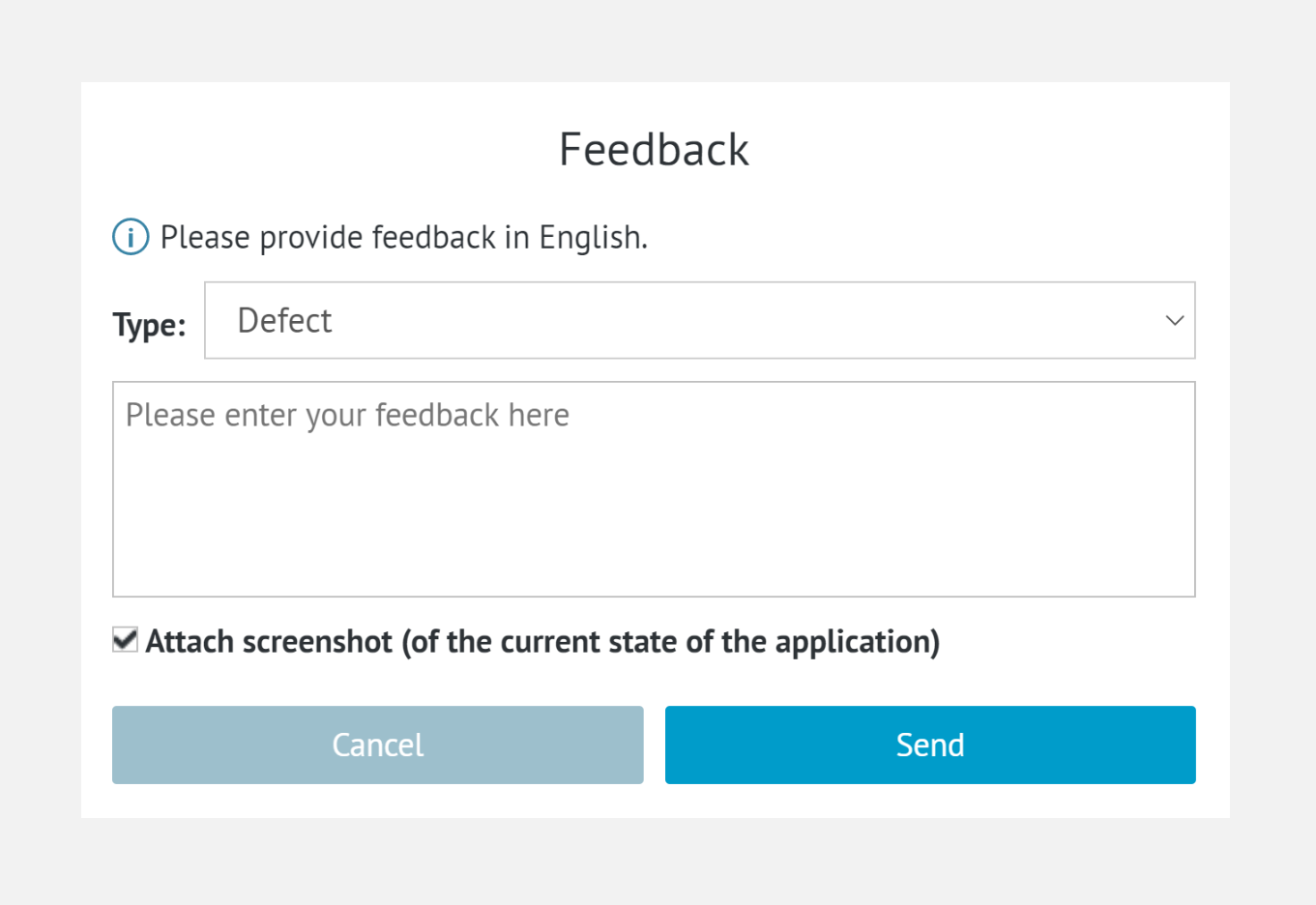
You may choose your feedback type, but it is not necessary. More importantly, you can provide a screenshot of your current application view. Therefore, we will be able to assist you in more detail.
RELATED ARTICLES
Was this article helpful?
That’s Great!
Thank you for your feedback
Sorry! We couldn't be helpful
Thank you for your feedback
Feedback sent
We appreciate your effort and will try to fix the article