TABLE OF CONTENTS

1. What is an EtD table?
An Evidence to Decision (EtD) table helps guideline panels develop evidence-informed recommendations in a structured and transparent manner. It prompts panel members to consider multiple criteria as they evaluate the pros and cons of an intervention. It allows project coordinators to maintain a record of the panel’s judgements.
For more information regarding sharing the EtD with the panel members please visit the PanelVoice section.
2. Creating an EtD table
To create or open an EtD table in GRADEpro:
1. Click on the "Comparisons" tab in the sidebar.
2. Select one of your PICO questions from the list on screen. If you have not added any PICO questions, you will need to do so before you create an EtD table for it. You can learn how to add management and diagnostic PICO questions, including evidence (SoF) tables, in our step-by-step tutorials.
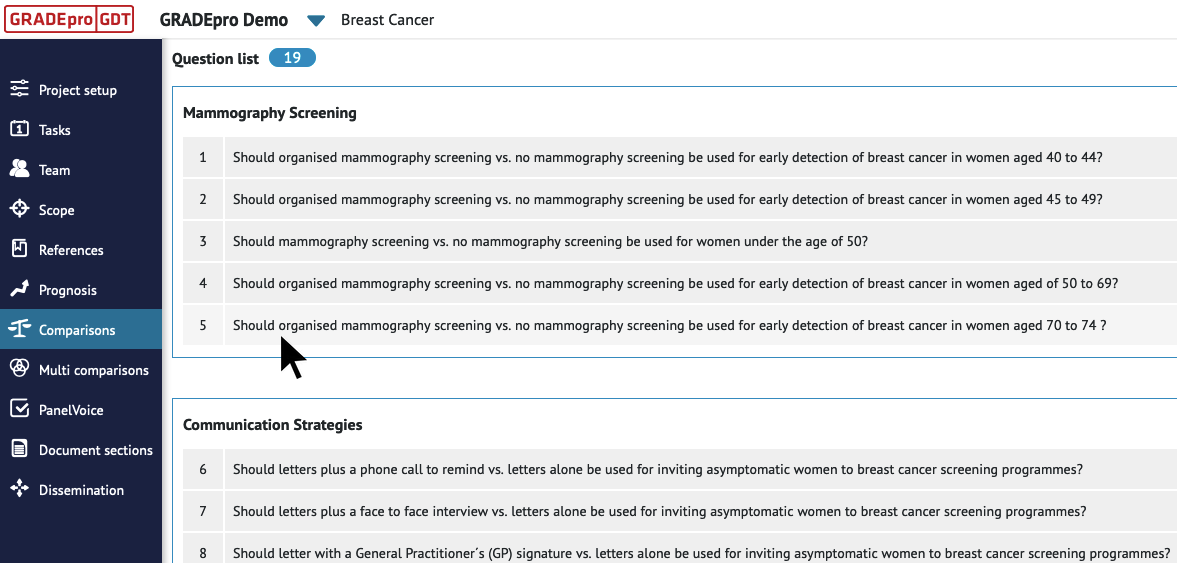
3. Click on “Recommendations” under the Comparisons tab in the sidebar. This sidebar menu option will only appear after you have selected a PICO question.
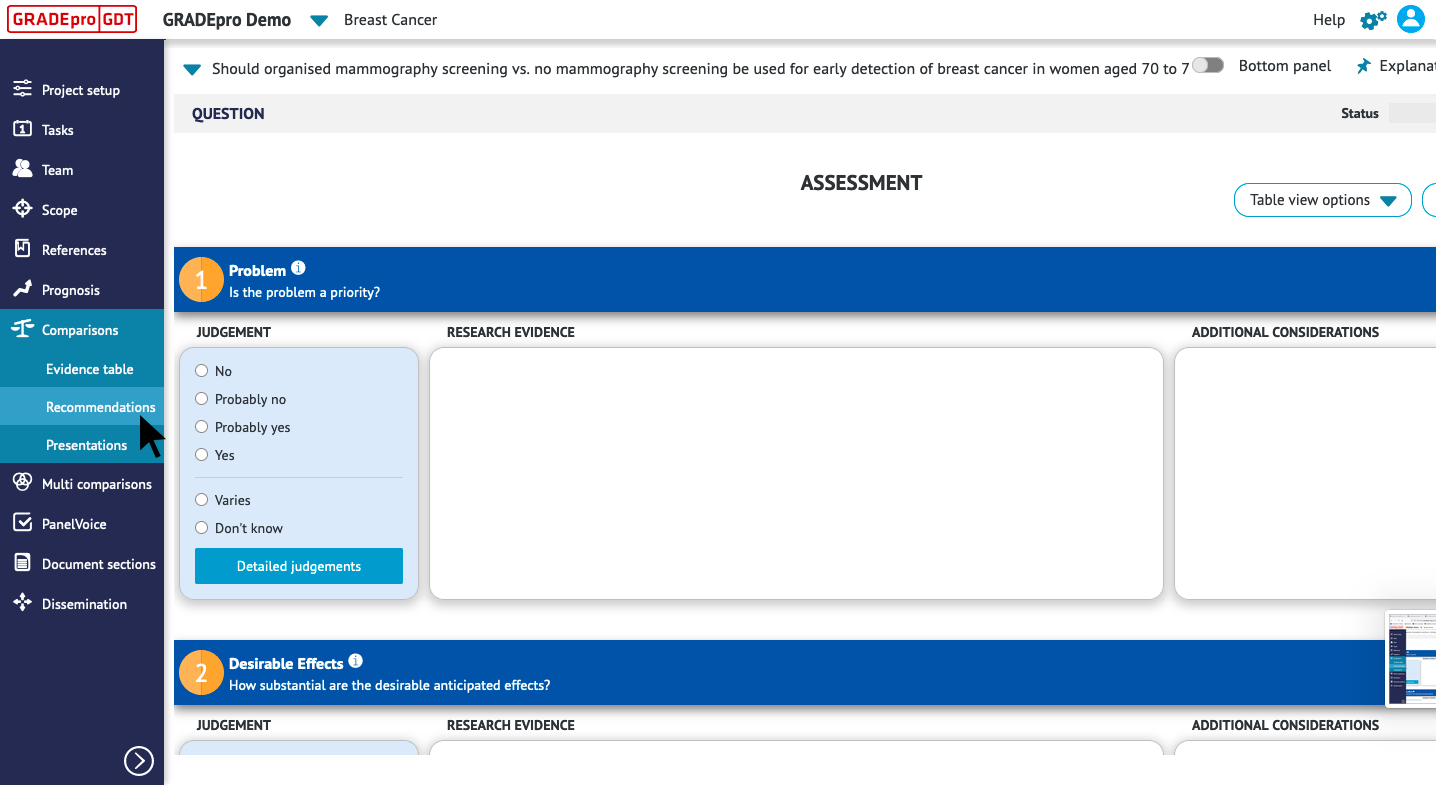
This will open the EtD table for the question you have selected. You can return to this EtD table any time to review or edit it.
3. Sections of an EtD table
3.1 Assessment
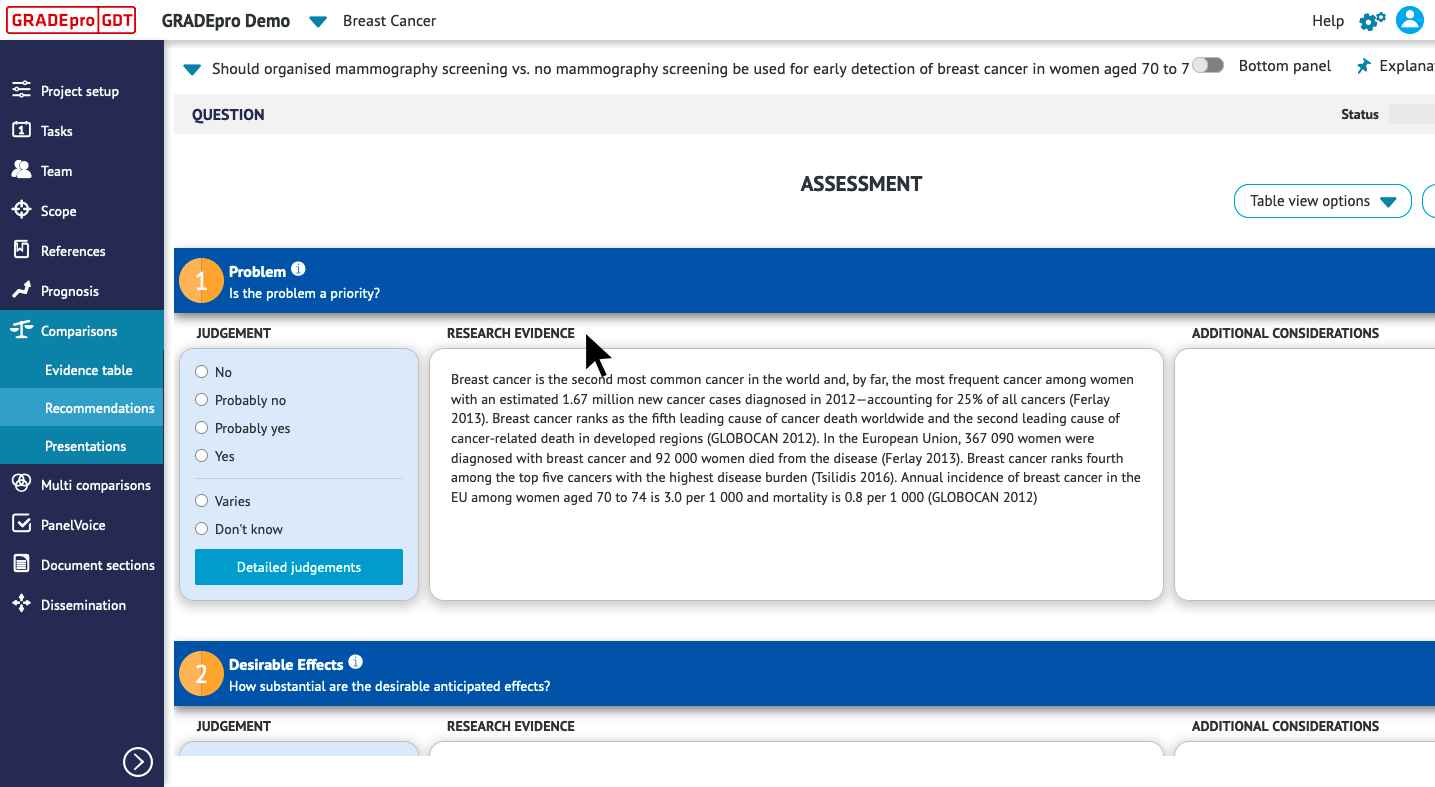
The Assessment section of the EtD table presents concise summaries of the available research evidence and additional considerations for an intervention and comparison.
It guides panel members to evaluate the intervention according to multiple criteria, such as:
- the desirable and undesirable effects of the intervention
- the certainty of the evidence of effects
- the resource requirements or costs
- the acceptability, feasibility, and impacts on health equity
Three columns appear for each criterion in the Assessment section. The left-hand column documents the panel’s judgements for each criterion. The middle column summarises evidence verbatim or by presenting inserted tables. Right column can be used to included additional considerations by the panel. You can learn how to complete the table in detail in our tutorial.
3.2 Summary of Judgements
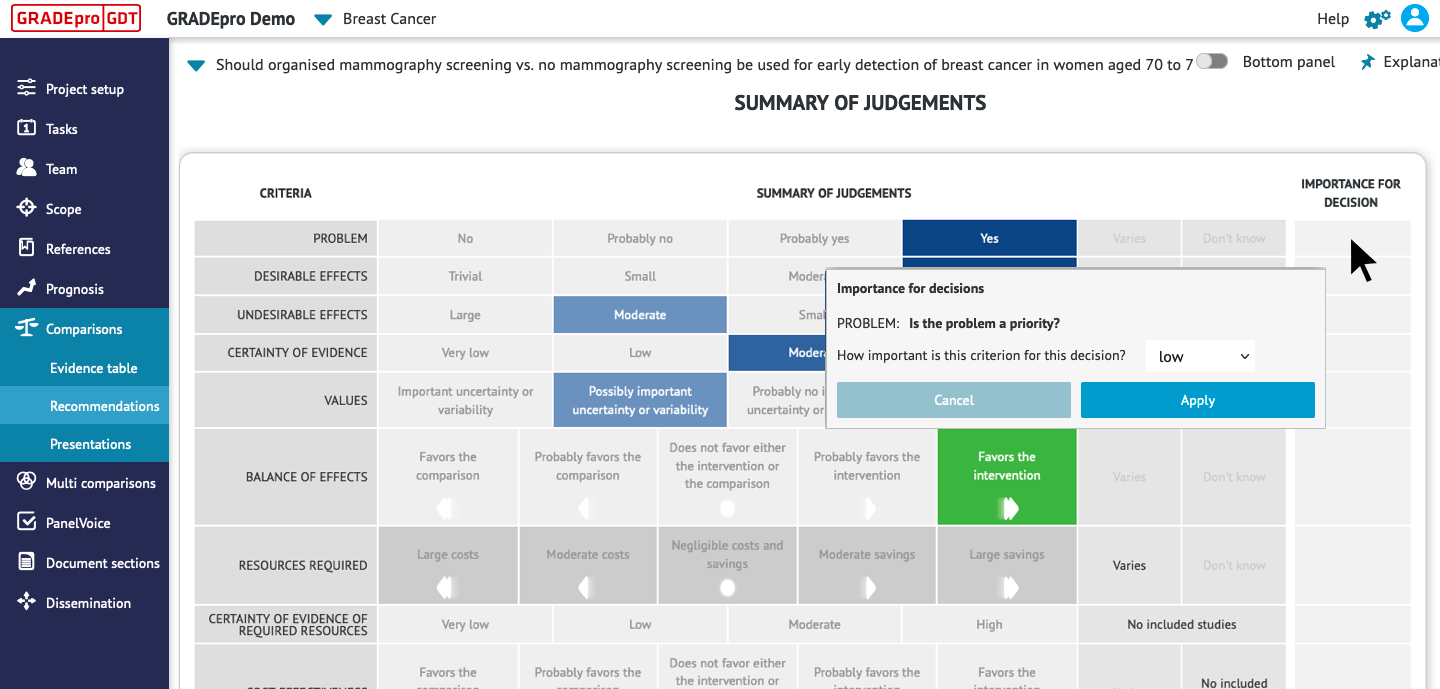
GRADEpro automatically generates the Summary of Judgements, based on the judgements selected in the Assessment section.
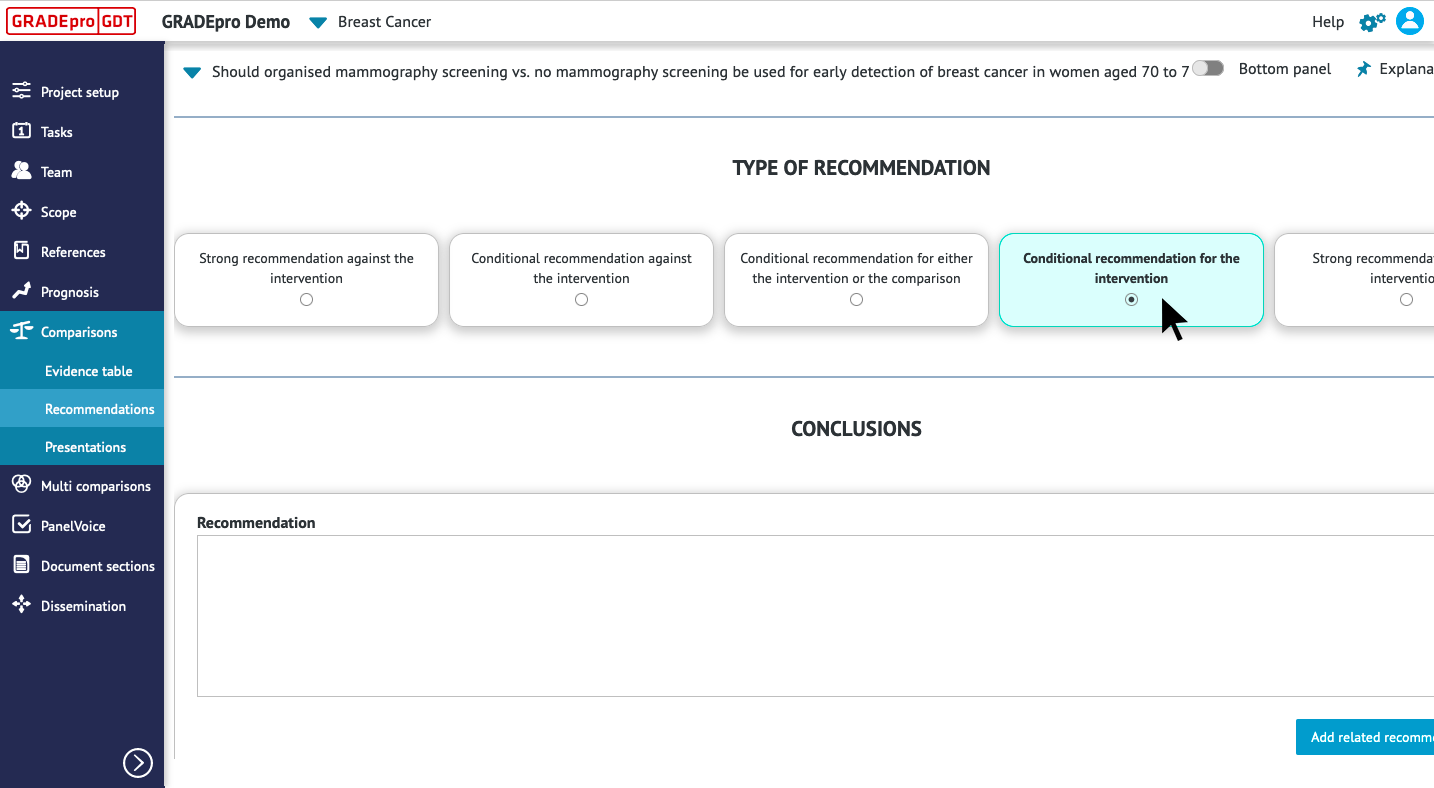
3.3 Type of Recommendation
The Type of Recommendation section documents:
- The direction of the panel’s recommendation. A panel may issue a recommendation for or against an intervention, based on its assessment of the research evidence and additional considerations. In cases when both options considered can be applied depending on the circumstances a "middle recommendation" (either/or) can be applied.
- The strength of the panel’s recommendation. A panel may grade the strength of the recommendation as strong or conditional, based on the balance of anticipated effects, certainty of evidence, and other considerations.
3.4. Conclusions
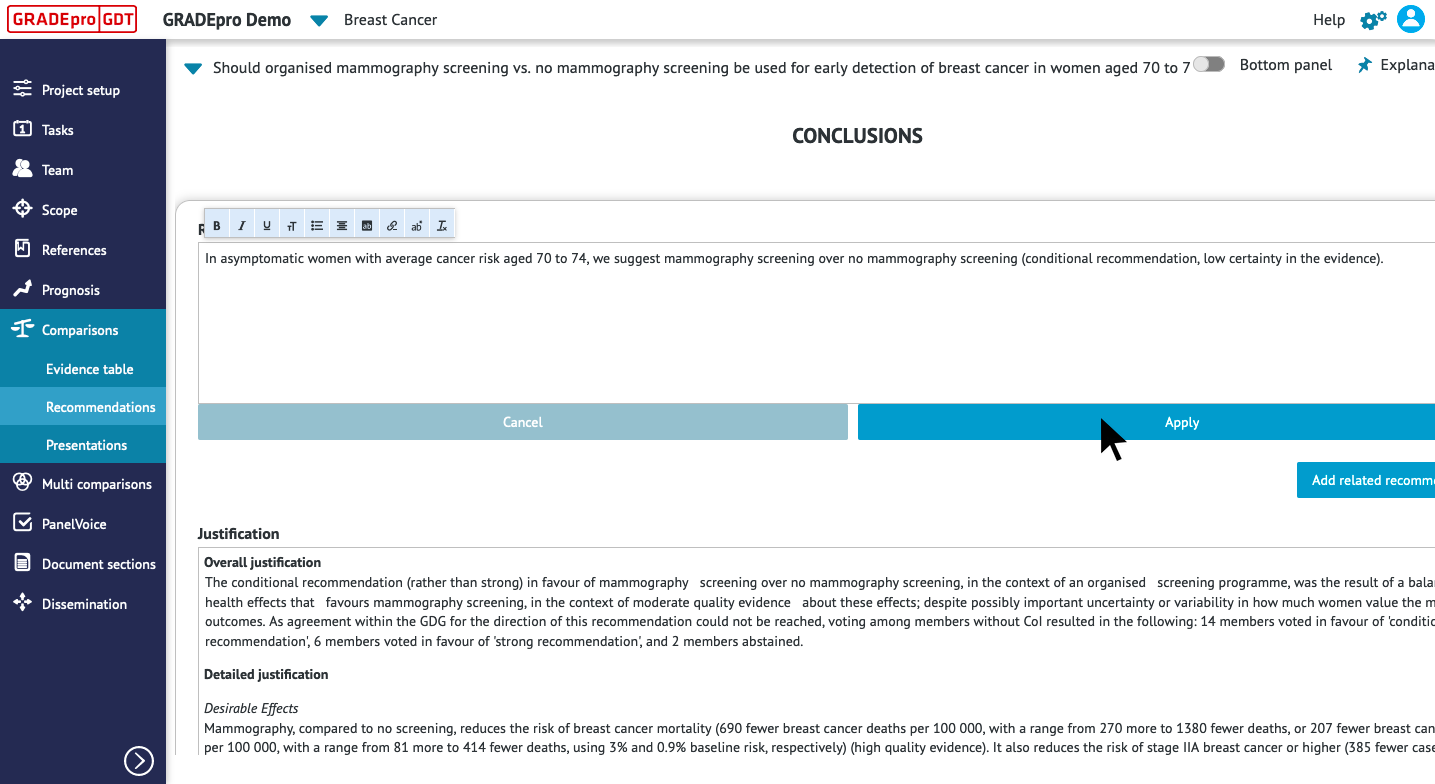
The conclusions section of the EtD table documents:
- The recommendation, stated in clear and actionable terms
- The justification for the recommendation, which should reflect the judgements made in the Assessment section of the EtD table
- Subgroup considerations, which should identify and provide guidance for any subgroups that the panel considered when making its recommendation
- Implementation considerations, which should provide information on how to implement the recommendation and address feasibility or acceptability concerns
- Monitoring and evaluation considerations, which should identify key indicators to be monitored or requirements for a pilot study or impact evaluation of the intervention.
- Priorities for future research, which should address important gaps or uncertainties in the evidence that informed the panel’s judgements.
RELATED ARTICLES
Was this article helpful?
That’s Great!
Thank you for your feedback
Sorry! We couldn't be helpful
Thank you for your feedback
Feedback sent
We appreciate your effort and will try to fix the article