TABLE OF CONTENTS
- Introduction
- 1. Ready-to-use frameworks
- 2. Collaborative guideline development
- 3. Digital dissemination
- 4. Tailor-made publication suites

Introduction
Below you can read brief descriptions of GRADEpro's key features that support the guideline development process.
1. Ready-to-use frameworks
Elements used in guideline development (tables, forms, documents) are readily available in GRADEpro. You just need to populate them with data - there is no need to prepare everything from scratch.
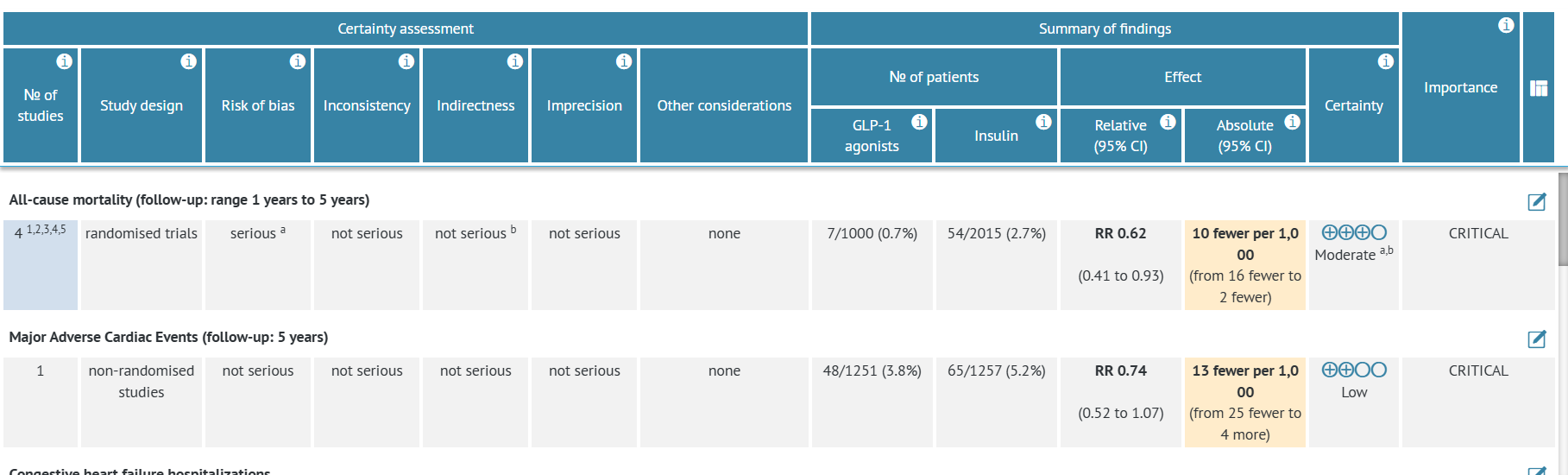
1.1 Evidence (SoF) tables
GRADEpro offers a variety of evidence tables, including Summary of Findings endorsed by Cochrane and GRADE evidence profile supported by the GRADE Working Group. Tables structure is prepared based on the PICO question. Data can be entered easily (various types of data are supported - dichotomous, continuous, time-to-event, and narrative). Data can also be automatically imported from RevMan Web and RevMan 5 files. Each table allows for an easy GRADE certainty assessment.
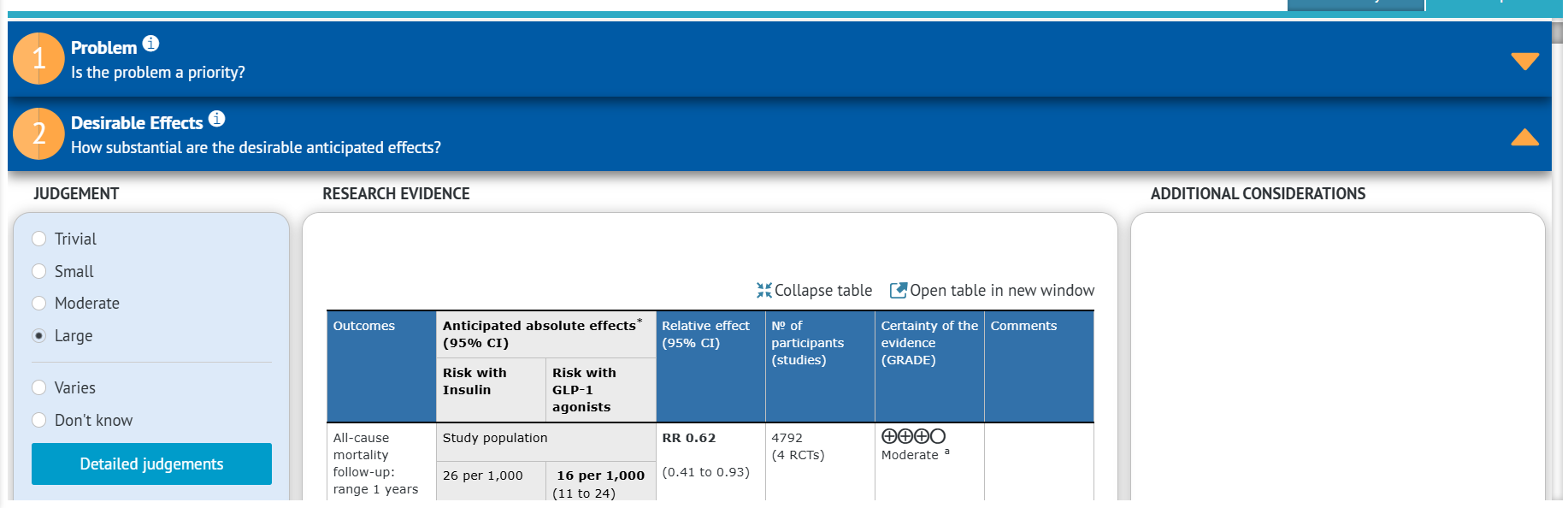
1.2 Evidence to Decision (EtD) frameworks
Evidence to Decision framework structures the recommendation discussion, ensuring all relevant aspects are assessed. It is a set of criteria that should be judged, and based on those judgements a final recommendation can be made. Judgements include the benefits and harms of intervention, economic aspects, and patient values. Default EtDs in GRADEpro follow GRADE formats, but we also offer other versions, such as WHO INTEGRATE. Voting on the EtD can additionally be supported by online forms (PanelVoice).
1.3 Multiple intervention approach
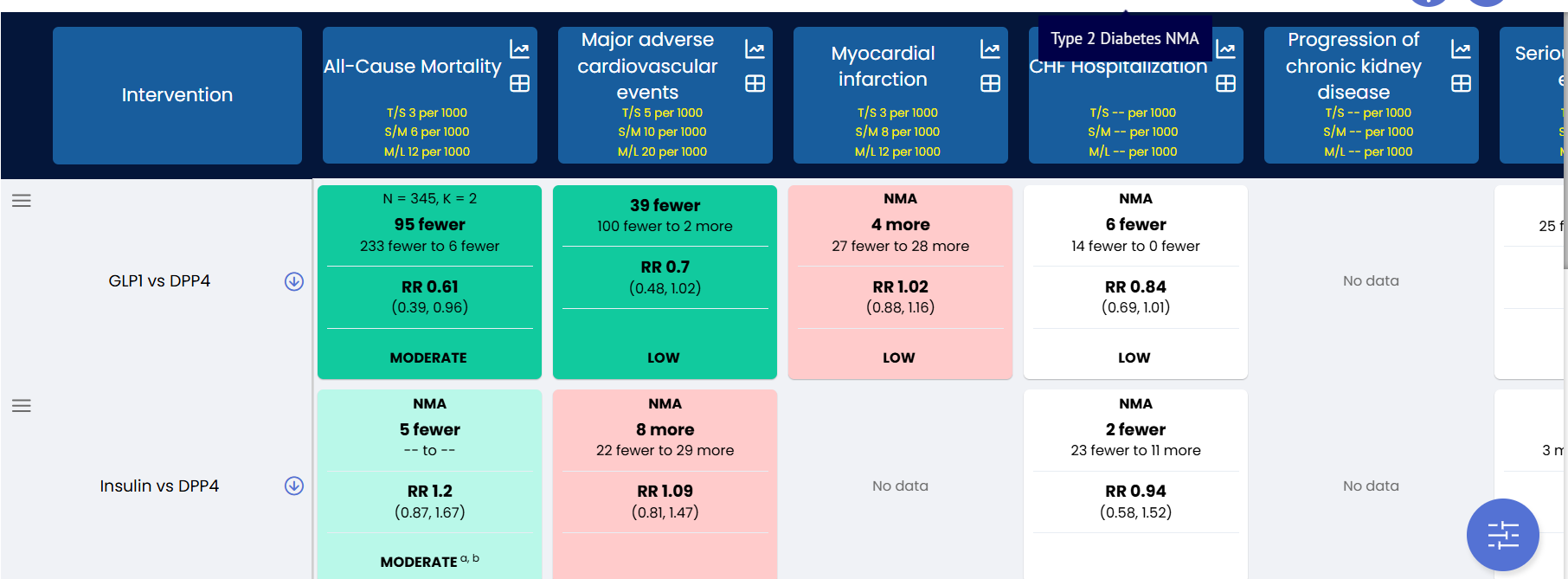
Both the evidence tables and EtD frameworks also support multiple intervention approach, when instead of a pair-wise (A vs B) comparison, you can compare many options simultaneously to select the best one(s).
The evidence table in this approach is the Network Meta-Analysis (NMA) table, which can be populated with evidence from an NMA, but also used to consolidate results from multiple pair-wise tables.
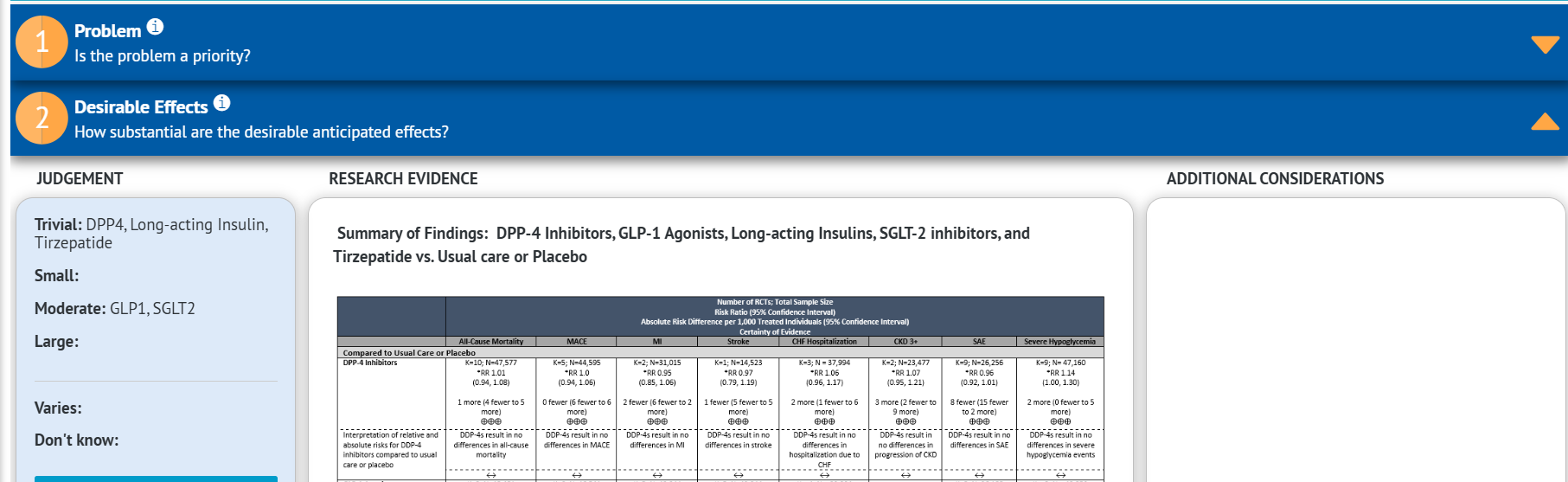
The Multiple Intervention EtD provides structure for decisions about selecting the best from a number of options. Same as regular EtD, it is a list of criteria that should be considered for each option. It is possible to send it for online PanelVoice voting, too.
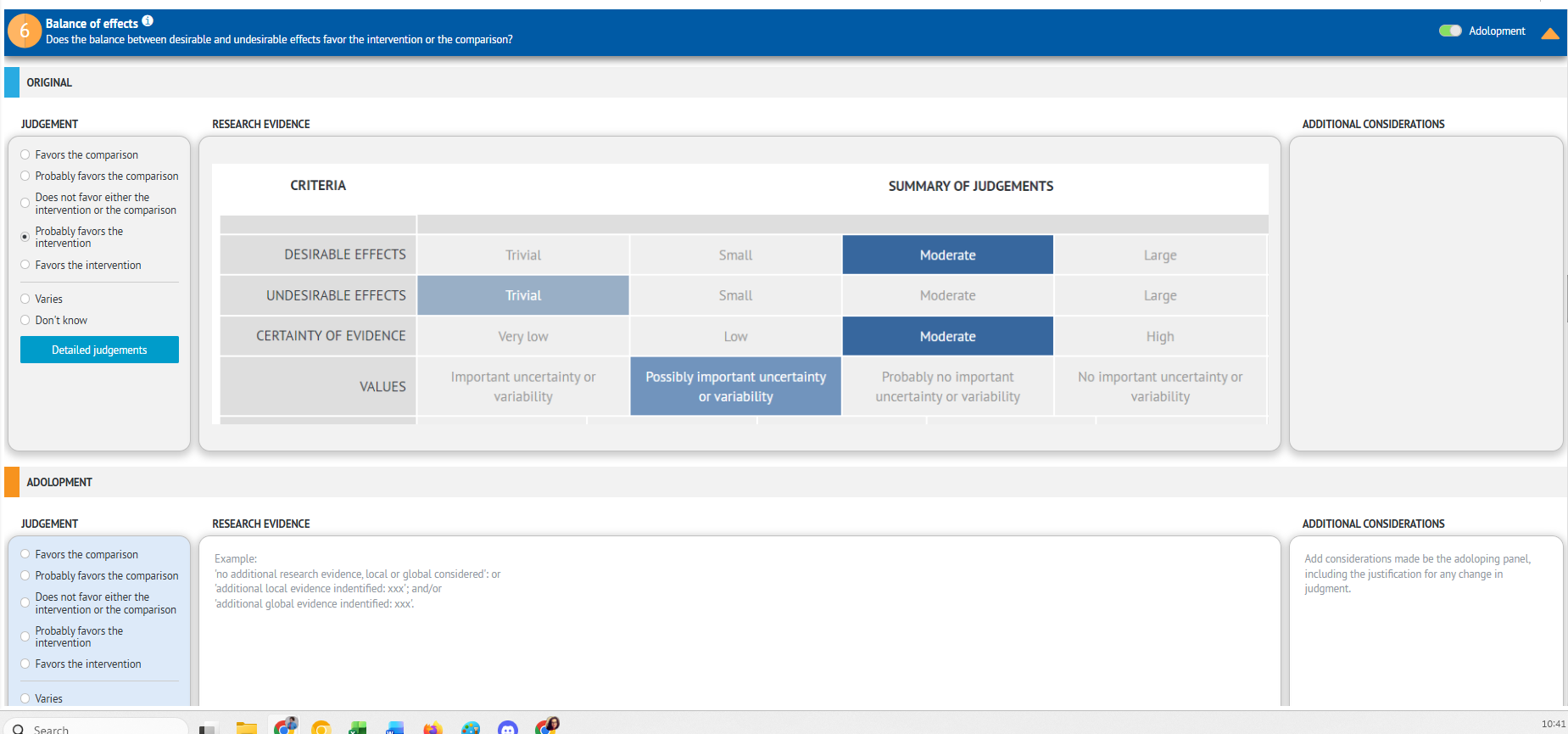
1.4 Adolopment
To save time and resources, existing projects can be adapted for local contexts, for example a world-wide WHO guideline on any topic can be used to issue guidance for a single country, including the specifics of conditions, healthcare, and patients in that particular country.
GRADEpro enables this by providing an adolopment module, which allows to easily create new or adapted recommendations based on existing ones.
2. Collaborative guideline development
GRADEpro was designed to support collaborative guideline development, even if teams are spread across different countries. Decisions can be made using online forms, and documents can be edited by multiple people in multiple locations.
2.1 PanelVoice
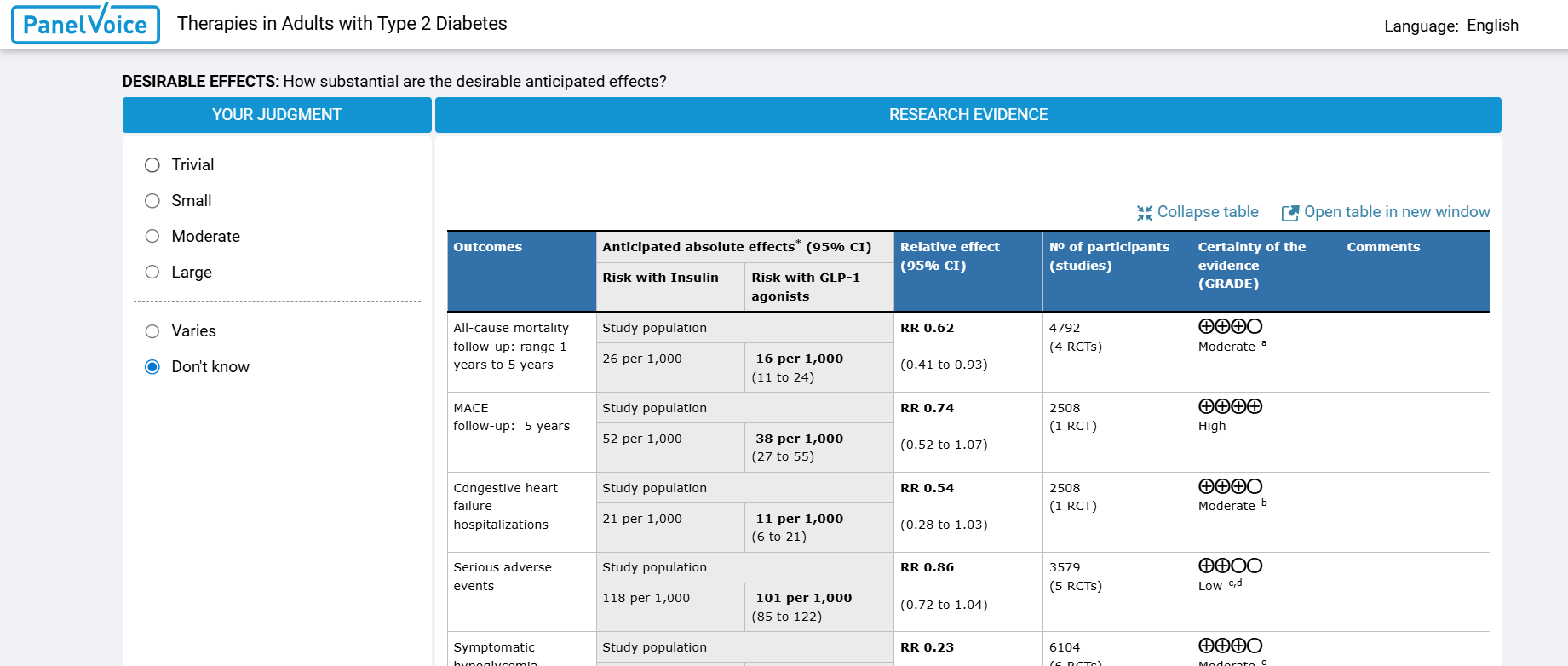
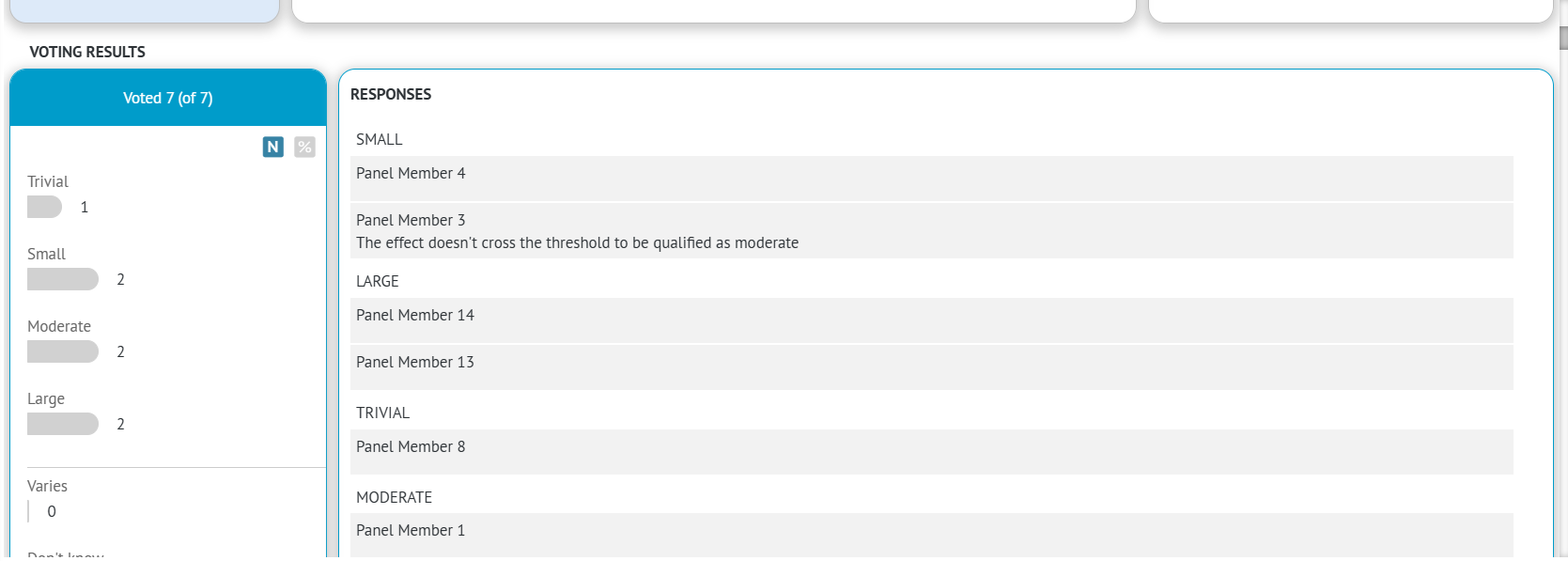
You can send online forms to your guideline panel of experts to facilitate recommendation discussions based on the EtD criteria. Votings can be run prior to the meeting (to screen panel's initial opinions), after the meeting (to confirm decisions made during the meeting or even instead of the meeting. Forms are simple and don't require a GRADEpro account to view - experts can just enter a link they are sent via email and mark their answers as in any online forms. Voting can be repeated many times if needed.
Results are summarised and recorded inside each EtD.
2.2 Guideline document editor
Instead of sending multiple text files in multiple versions back and forth, the guideline document can be created directly in GRADEpro. The software offers all the options of a regular text editor, including formatting, inserting tables and pictures, and adding comments. It is possible to edit in suggestion mode (suggested changes then need to be accepted by an admin/chief editor). Suggestion mode can also be enforced for some users to prevent unauthorised changes. Comments can be added for discussion.
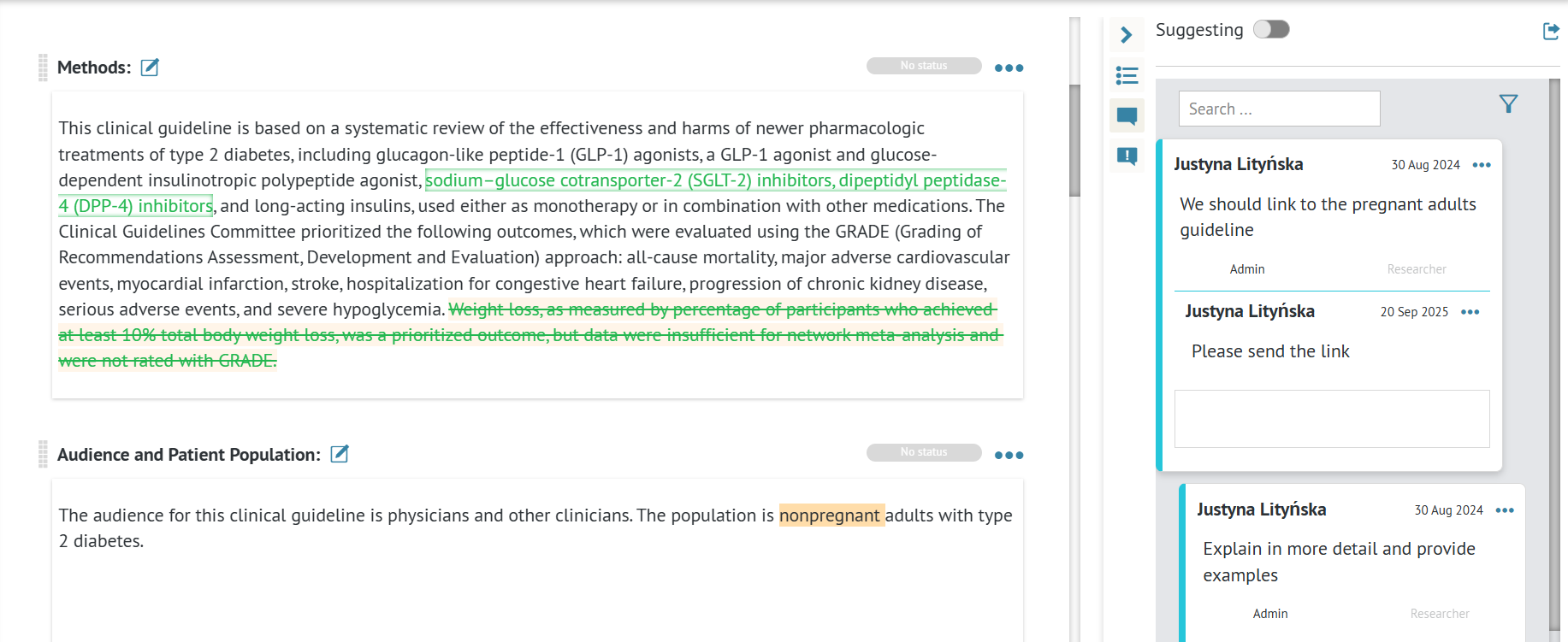
The final document can be exported as a Word (.docx) file or published using GRADEpro dissemination solutions.
2.3 Questions and Outcomes Generation
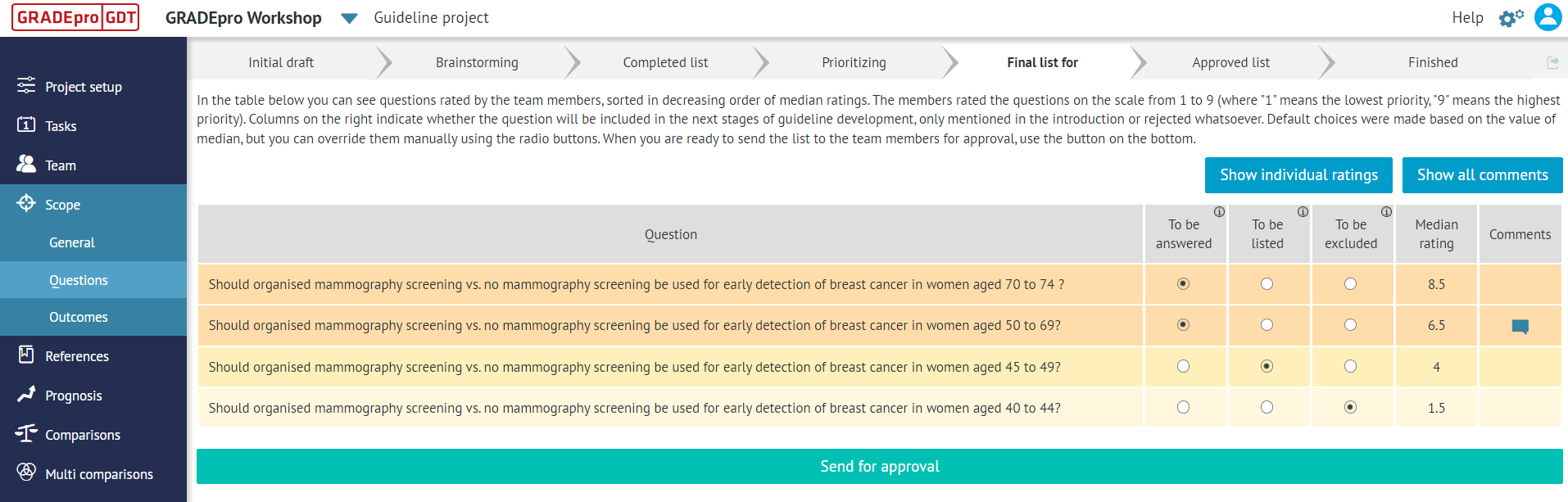
In some cases, when guideline questions and outcomes of interest need to be determined, GRADEpro allows you to run this process with the support of your guideline panel of experts. You can send them the list of initial suggestions, to which they will add their own, based on their experience and knowledge gaps that they are aware of.
As there will likely be more options than the guideline budget and timeline allow, the questions and/or outcomes then need to be prioritised through voting by the entire panel, where each member marks the priority of each question or outcome based on their perspective.
Then the final list of questions and/or outcomes is constructed, selecting a limited number of options of the highest overall priority.
3. Digital dissemination
Recommendations and guidelines prepared in GRADEpro can be published digitally in visually appealing, interactive formats.
3.1 Interactive Summary of Findings
Any evidence table can be exported in the Interactive Summary of Findings format. That version of the table presents evidence in a clear, user-friendly manner, which can be easily read both by health care professionals and by patients.
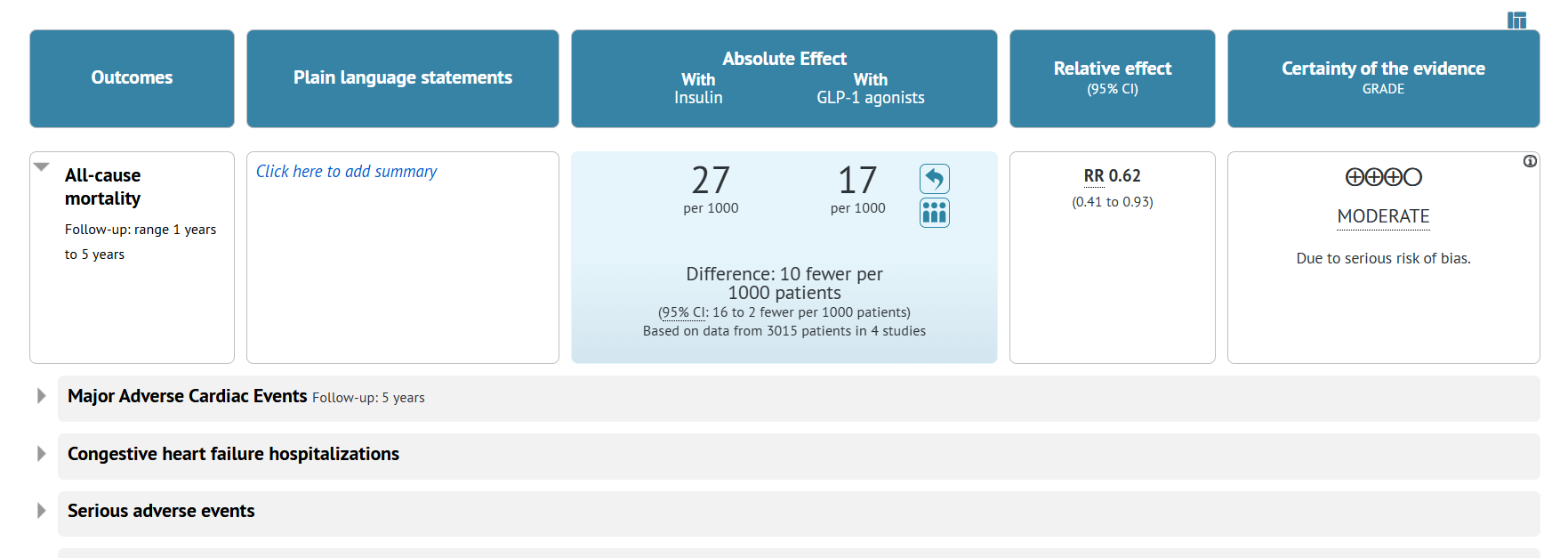
Each outcome can be visualised separately.
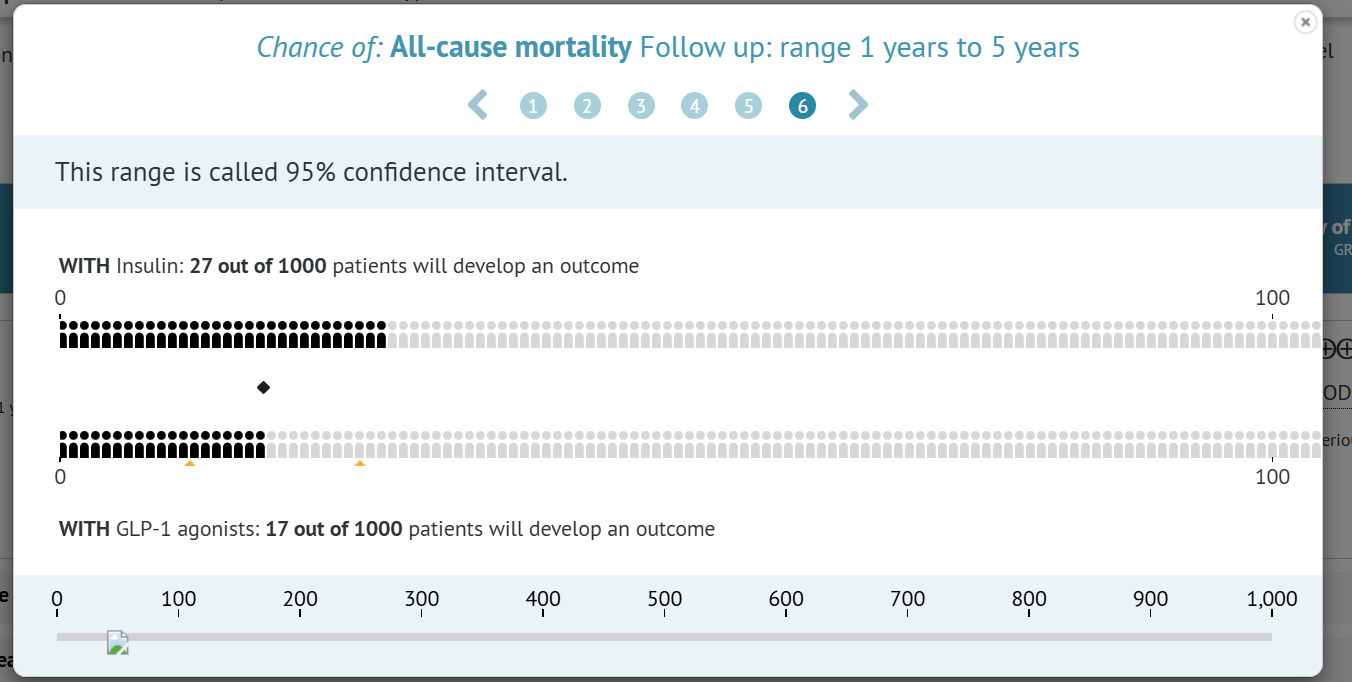
The table can be exported as a separate link, which you can link to from a paper or an existing website. It is also possible to export as an embeddable code, which can be seamlessly integrated directly on a webiste or in an online editon of a journal.
3.2 Decision Aids
Decision Aids are digital forms for shared decision making. In cases when patients have various treatment options depending on individual conditions and preferences, they can use a Decision Aid to inform their final decision. The form can be used prior to a medical appointment, or it can be completed together with their healthcare professional.
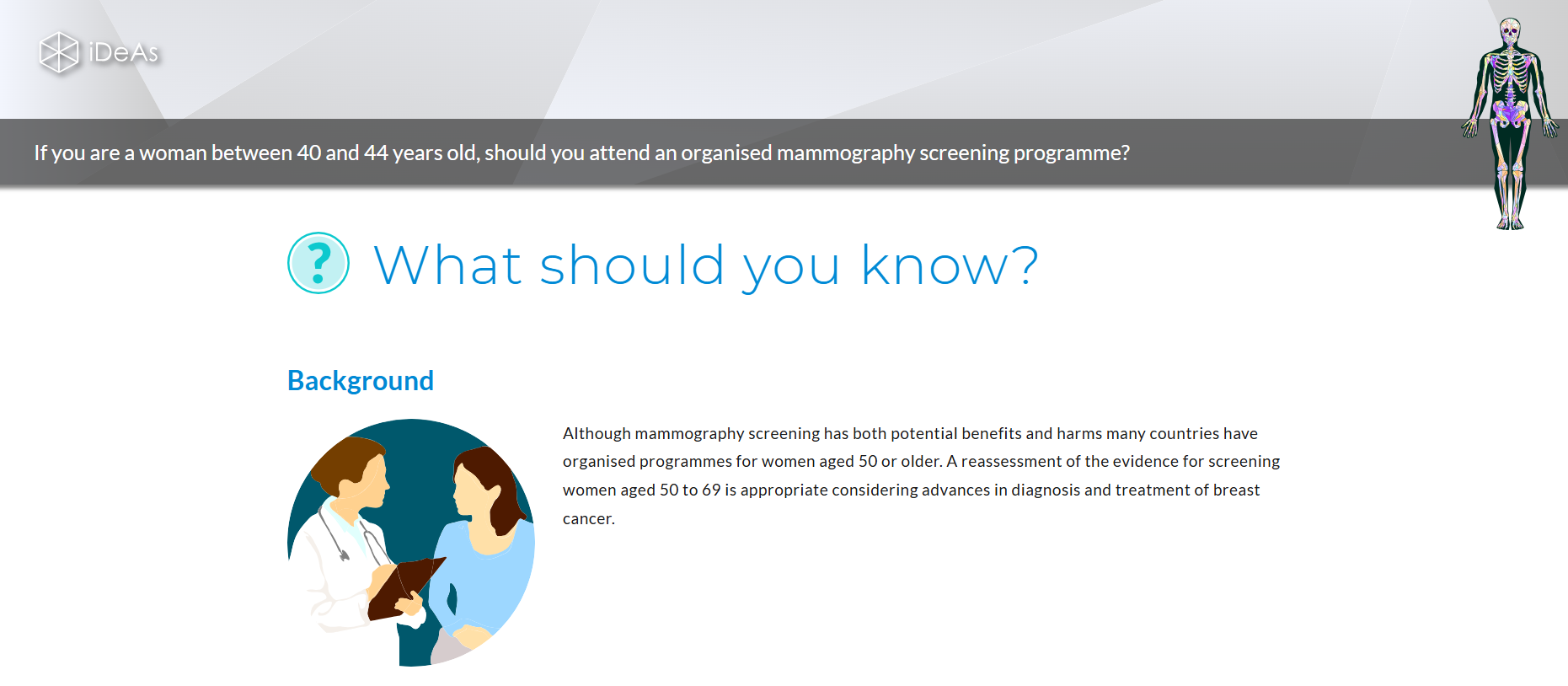
Simple Decision Aids can be easily prepared based on any existing recommendation in your GRADEpro project. Additionally, a more complex version of a Decision Aid can be prepared by our design team.
3.3 Visual Clinical Guidelines
Compact guidelines or recommendation clusters can be published in the Visual Clinical Guideline format. The presentation summarises narrative aspects of the guideline (interventions, populations, recommendations, rationale, and additional considerations) and then presents the underlying evidence. End users can choose which evidence they want to see by selecting recommendations and interventions of interest.
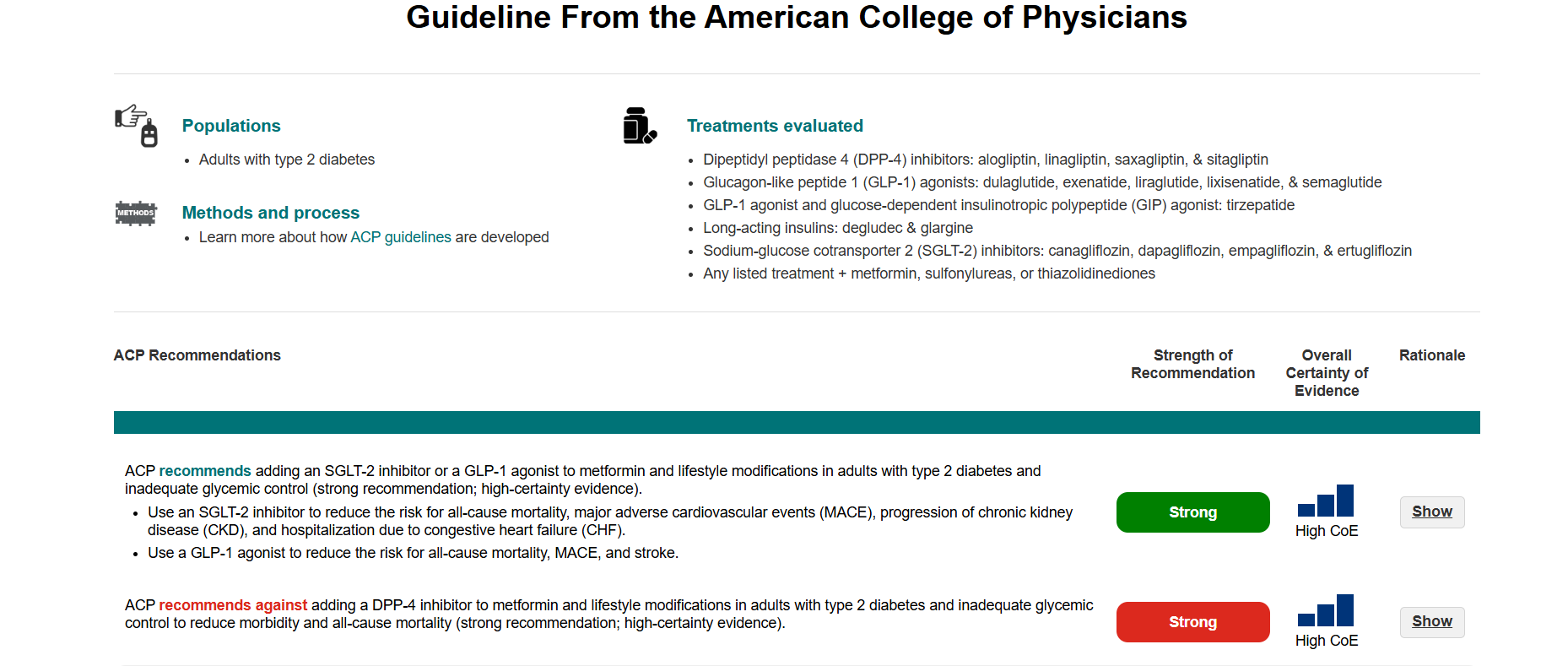
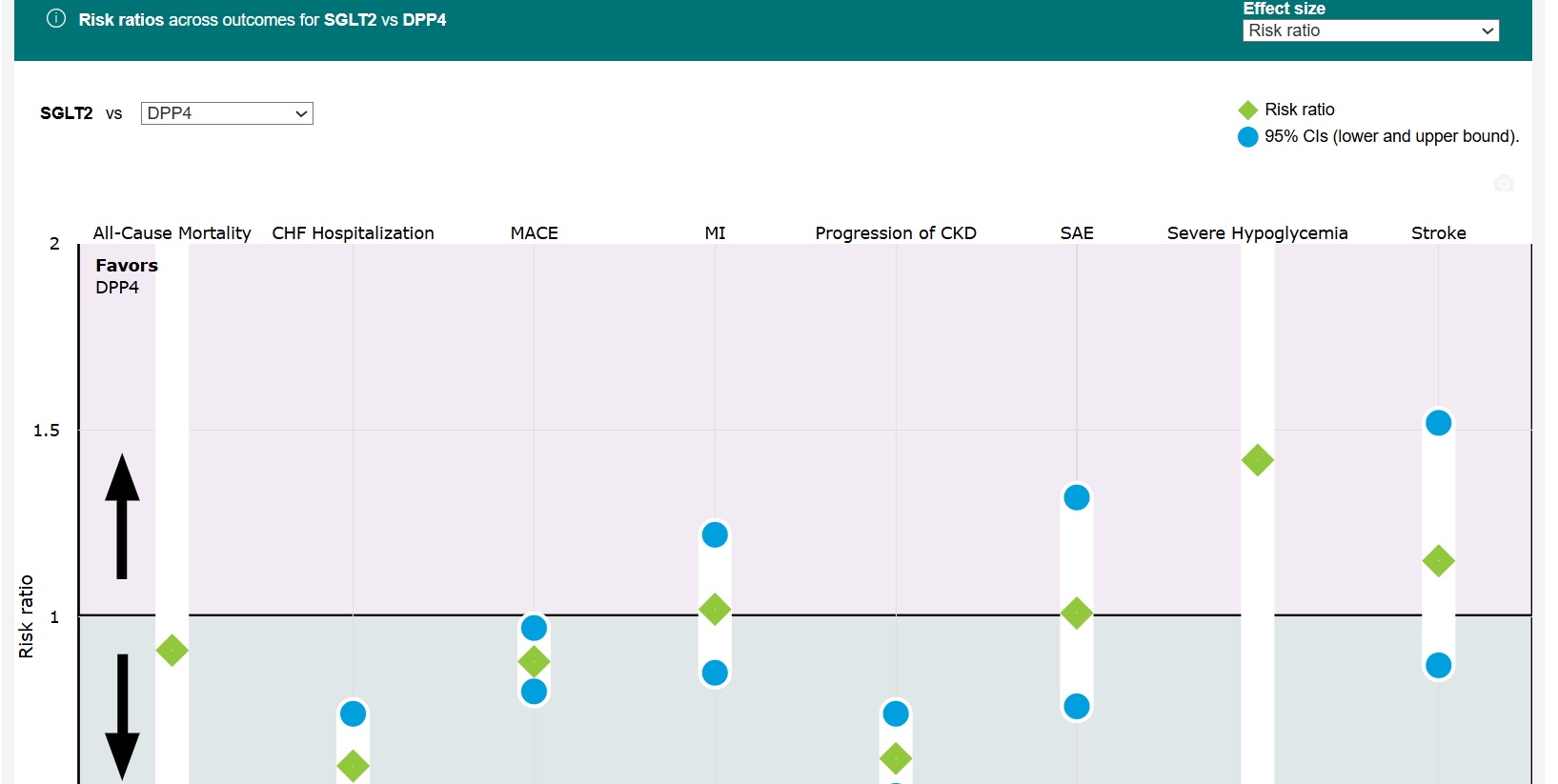
Visual Clinical Guidelines can be quickly and easily prepared in GRADEpro based on existing content in the project (evidence tables, recommendations). No additional input from graphic designers is necessary. The presentation can be published as a separate link or embedded on an existing website.
4. Tailor-made publication suites
Apart from one-time publication of particular recommendations or guidelines, GRADEpro can offer dedicated, long-term solutions to provide a customised environment for the publication of all your guidelines.
4.1 Publication Platform
A publication platform is your own website, on which you can publish entire guideline documents with embedded interactive recommendations.
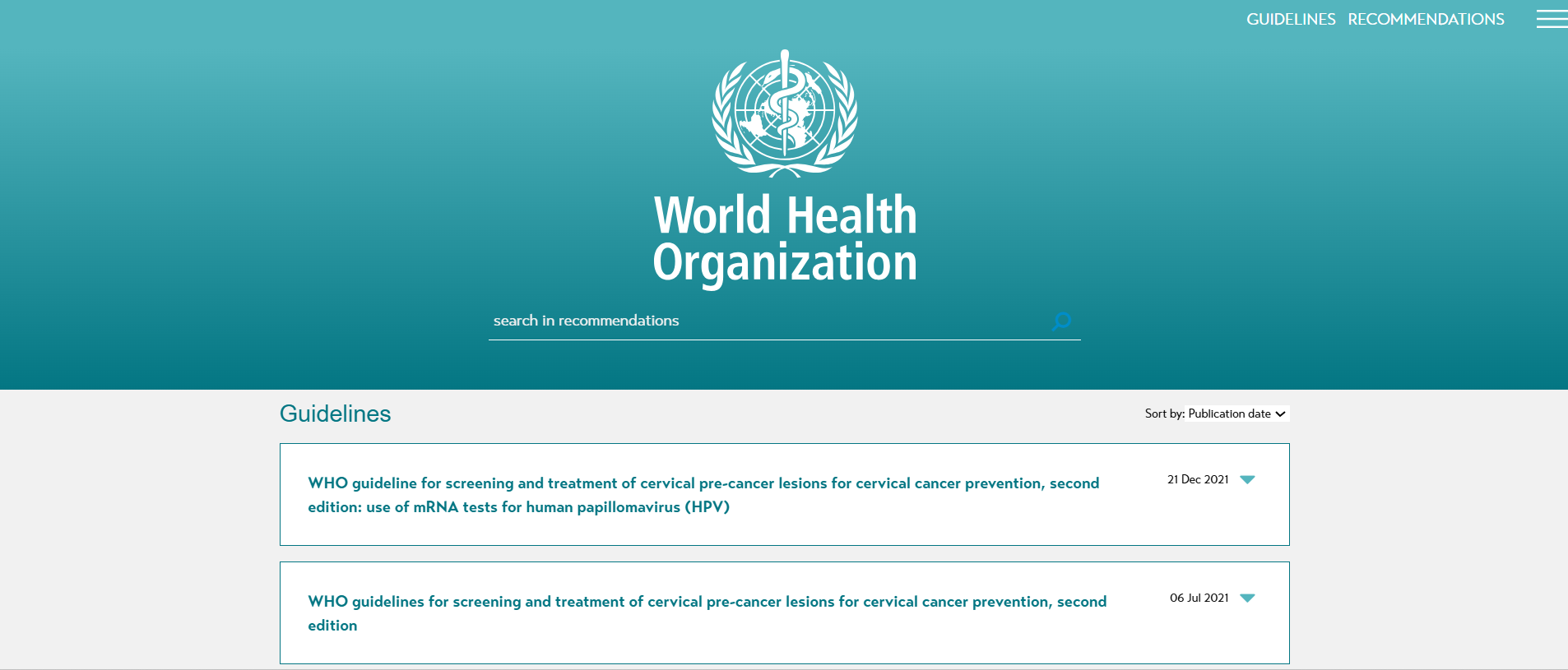
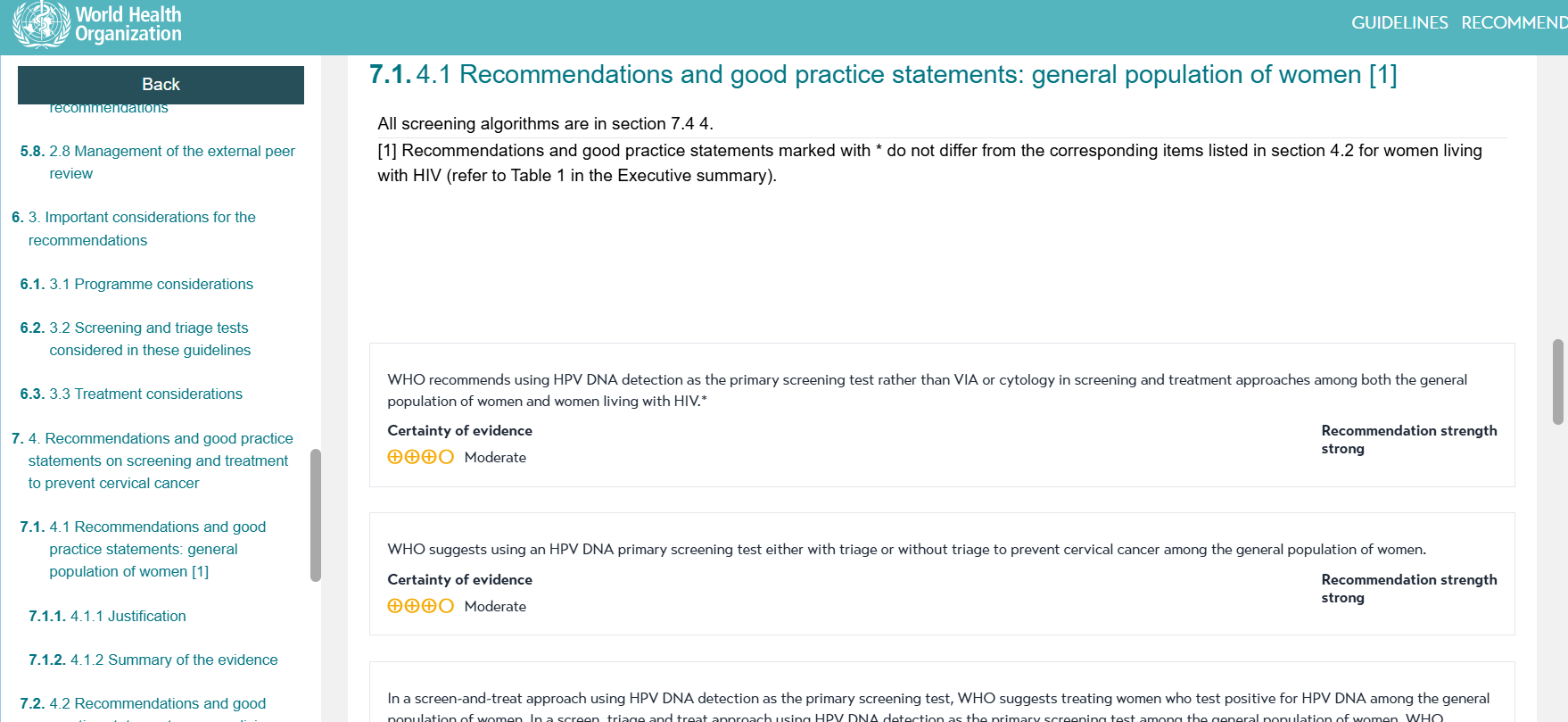
Recommendations can also be accessed separately as a searchable, filtered list.
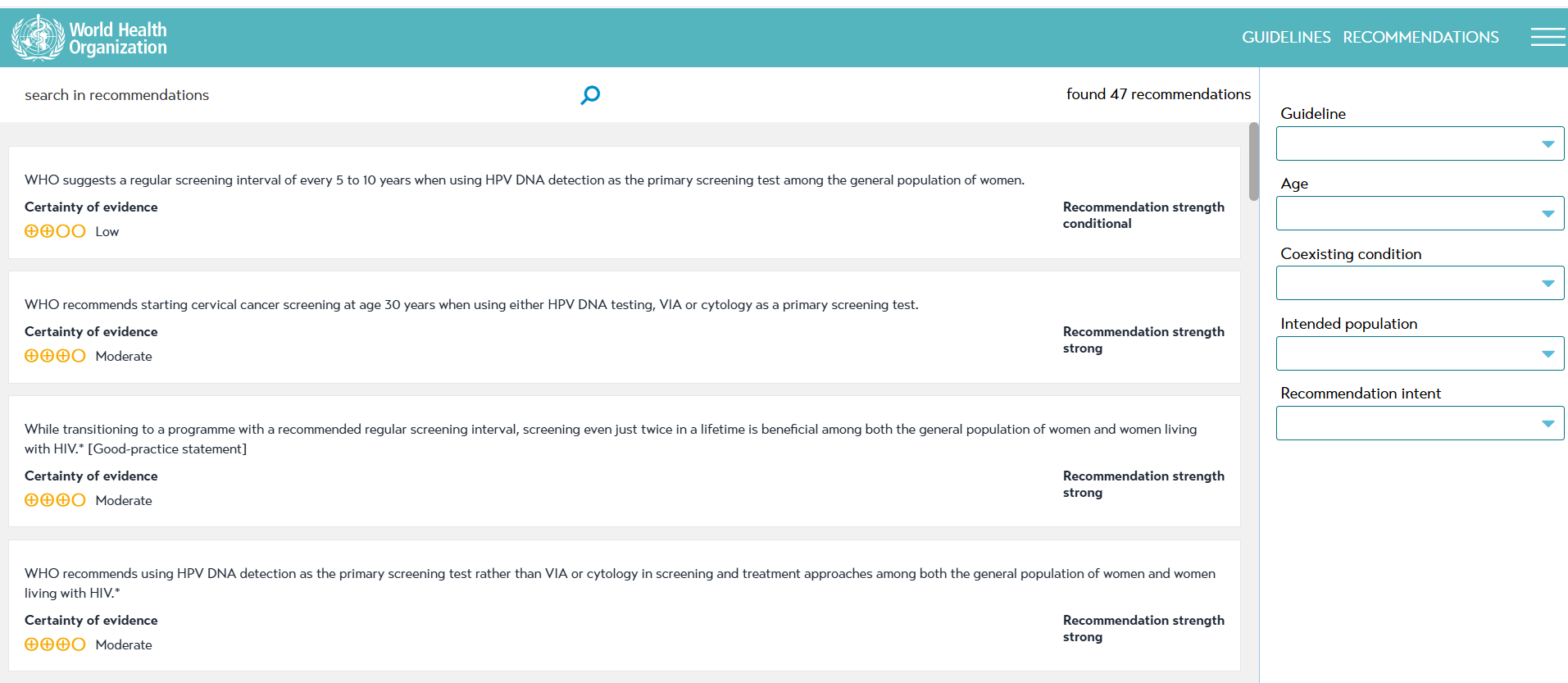
You can easily manage the content of the website in GRADEpro and publish it whenever needed. It is also possible to have a separate list of Plain Language Recommendations that can be used by general public.
4.2 Recommendation Map
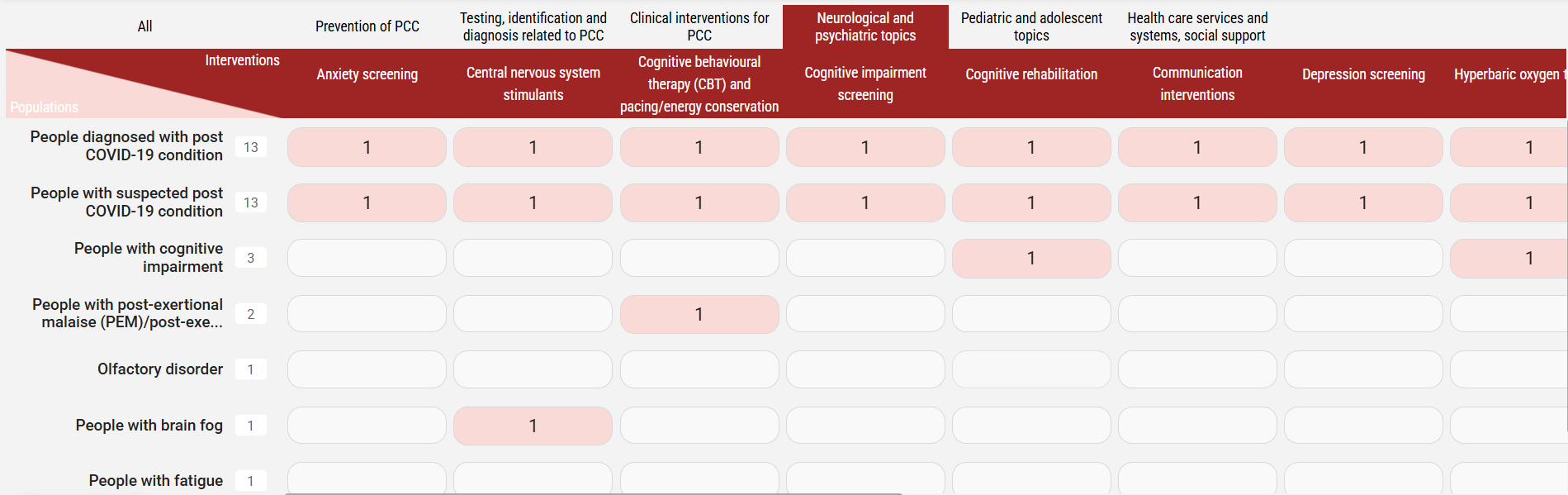
A Recommendation Map is a similar solution to a publication platform. The main difference is that the map additionally presents recommendations on a grid of intents/interventions and populations, so that users can easily find recommendations pertaining to their particular needs, and researchers can see knowledge gaps.
4.3 RecChat
Both publication platforms and recommendation maps can be additionally equipped with a RecChat, a conversational AI search engine, which makes it easier to find recommendations of interest. RecChat translates users' questions into specialised queries to the database of recommendations and returns summarised answers together with the particular recommendations that served as a source for that answer.
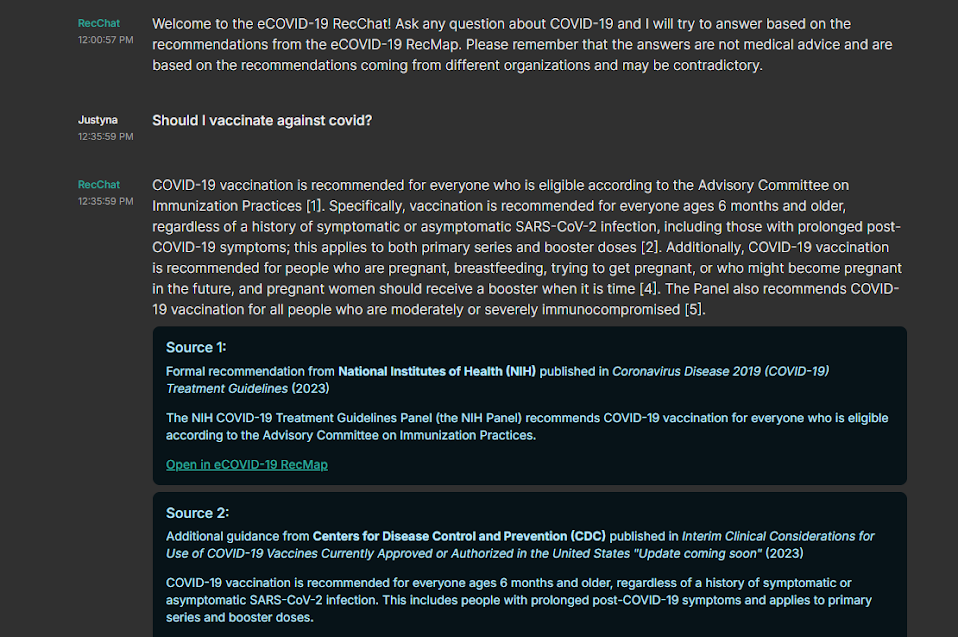
Most importantly, RecChat doesn't hallucinate - if it doesn't know the answer, it says so, and doesn't make up information. It is also trained to only look for answers in a particular repository of guidelines - if an answer cannot be found among the information in the database, RecChat will say so to the user, and it will not look for an answer in less reliable sources.
4.4 Integration with existing online journals and websites
If you have an existing website that you publish your guidelines on, or if you're already partnered with a journal, we can accommodate that. Content prepared in GRADEpro can be shared with other websites via API, in which case your publications from GRADEpro will just appear on the website of your choice once published from within GRADEpro. Alternatively, you can use embeddable versions of the publication, which can be added manually to another website.
RELATED ARTICLES
Was this article helpful?
That’s Great!
Thank you for your feedback
Sorry! We couldn't be helpful
Thank you for your feedback
Feedback sent
We appreciate your effort and will try to fix the article